FACT CHECKED
The gap between the growing demands of modern, effective HR capabilities and what is actually being delivered is widening.
Despite this, the global HR software market was valued at $16.43 billion in 2023 and is expected to grow to $36.62 billion by 2030. This highlights how important reliable pricing has become, as digital adoption continues to rise even as buyers struggle to understand what they are paying for.
Real value comes from understanding how software supports your HR department structure and the work your team handles each day.
This article explores HR software pricing and takes buyers through the entire process, from selecting reputable vendors and assessing internal needs to finalizing advantageous deals that drive digital transformation.
What is HR software pricing?
HR software pricing covers the end-to-end software procurement process, assessing the costs of buying human resource technologies. This includes sourcing reputable vendors and compatible solutions, negotiating favourable deals, and calculating the total cost (direct and indirect) of operating the software throughout its lifecycle.
HR software pricing falls under the remit of software asset management (SAM), financial decision-making, and resource budgeting. Right now, 58% of employers don’t see their HRIS as essential. Another 82% miss out on improvements to basic HR tasks, and 55% never apply it to employee engagement.
When organizations understand how HR software is priced and set it up with care, the system is far more likely to support business goals, meet employee needs, and deliver stronger ROI.
How much does HR software cost?
HR software costs will rarely offer a blanket solution applicable to all business types. The table below shows the average price of HR software for small, medium, and enterprise businesses:
| Business size | Typical cost Per Employee Per Month (PEPM) |
| Small / start-up | $4–$15 |
| Mid-size | $15–$30 |
| Large enterprise | $20–$40 |
Small businesses
For small businesses, prices usually range from $4 to $15 PEPM, excluding any base subscription. Costs stay lower at this level because most teams only need core functions and a lighter setup.
Medium-sized businesses
HR software for medium-sized businesses can cost between $15-$30 PEPM on average. These solutions provide a wider range of HR capabilities, including employee self-service, automated payroll, benefits admin, and performance reviews.
Large enterprises
Large enterprises needing a more robust HR setup can expect costs in the $20–$40 PEPM range. The higher price reflects the scale of supporting 500+ employees and the added complexity of larger operations.
These figures are highly configurable and provide a wide ballpark for estimating software price fluctuations. The final price you pay will ultimately depend on the unique requirements of your business.
What are the different types of HR software?
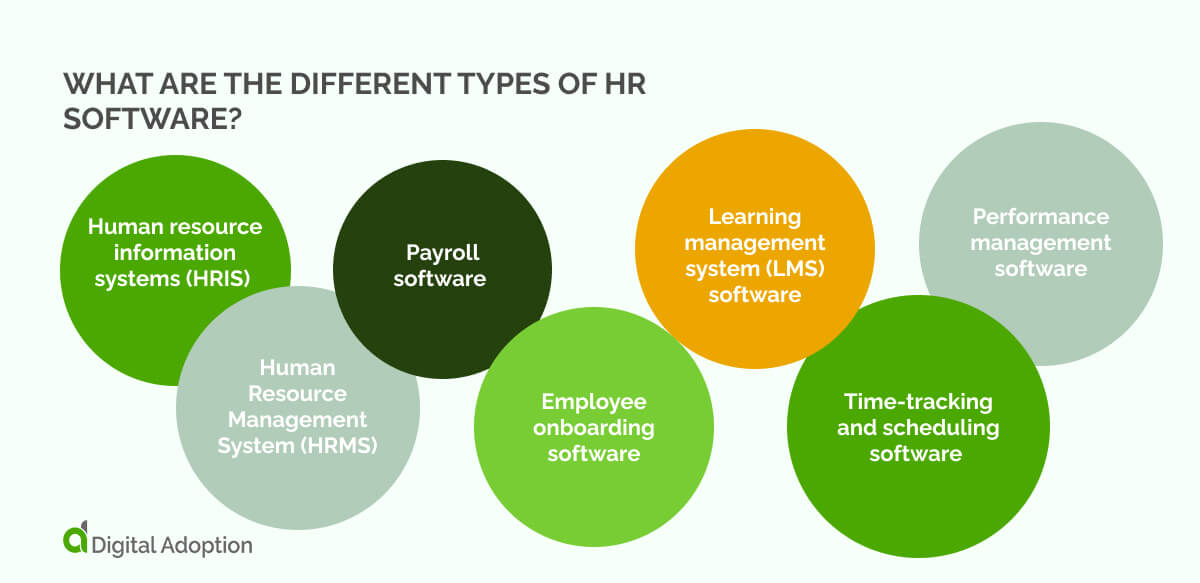
Pricing varies widely across HR software, and the best way to make the right choice is to understand the main types and what each one is built to support. Here are the different kinds of software essential for HR functions:
| Type | What it does | Considerations |
| HRIS | Stores core employee data. | Cost rises with data volume and support needs. |
| HRMS / HCM | Manages the full employee journey. | More workflows and setup increase pricing. |
| Payroll | Runs payroll and handles compliance. | Pay frequency and pay types affect cost. |
| Onboarding | Guides new-hire steps and documents. | Personalisation and content storage change pricing. |
| LMS | Delivers and tracks training. | The number of learners and activity levels impact cost. |
| Time-Tracking | Logs hours and manages shifts. | Shift rules and hardware add-ons influence cost. |
| Performance | Organises goals, feedback, and reviews. | Advanced features and integrations increase cost. |
Human resource information systems (HRIS)
A Human Resource Management System (HRMS), also known as HCM, builds on HRIS basics with tools for hiring, onboarding, development, and performance. When comparing prices, consider the added data volume, configuration work, and support needs that come with managing talent processes across the entire employee lifecycle.
Human Resource Management System (HRMS)
A Human Resource Management System (HRMS), also known as Human Capital Management Software (HCM), expands HRIS functions with broader tools for managing the full employee journey. When weighing costs, look at how much configuration, data handling, and workflow depth your organization needs, as these factors tend to influence pricing more than headcount alone.
Payroll software
Payroll software handles calculations, deductions, approvals, and timely deposits while ensuring compliance with tax and wage regulations. It also centralises HR and finance records. When reviewing pricing, think about how often you run payroll, the variety of pay types you manage, and whether you need the system to connect on a broader scale, for example, AI HR tools.
Employee onboarding software
Employee onboarding software helps HR ensure swift processes for incoming hires. This system serves as a single source of truth for HR teams, providing digital document management, forms, e-signatures, and access to policies and approvals. Pricing often depends on how deeply you personalise each step of the onboarding experience and the volume of content the platform needs to host.
Learning management system (LMS) software
Learning management systems (LMS) give teams a single place to deliver and organise training, with tools to guide learning and track progress. Pricing usually shifts based on how many people need access and the volume of training activity the platform must support, especially if your organization runs frequent or large learning programs.
Time-tracking and scheduling software
Time-tracking and scheduling software records hours, manages shifts, and automates rostering to ensure accurate pay and reliable coverage. When budgeting, factor in shift complexity, multi-location payroll rules, real-time clock-ins, and any hardware or biometric add-ons, since each element can increase licensing, integration, or implementation costs.
Performance management software
Performance management software centralises goal-setting, continuous feedback, and formal reviews so progress is visible and decisions are recorded. Pricing tends to align with the depth you require—extensive custom templates, advanced calibration or analytics, frequent review cycles, and deep integrations with payroll or L&D push costs higher.
What different HR software pricing models exist?
Another component of HR software pricing is the range of models, each shaping how organizations pay based on usage, scale, and the level of flexibility they need. Here are the different HR software pricing models:
| Pricing Model | Suited For |
| User-based | Teams that want costs to match the number of people using the system and prefer predictable, seat-based billing. |
| Tier-based | Organizations that like choosing feature bundles and want a clear, fixed set of tools at each level. |
| Flat-fee | Companies that want a single fixed price for everyone, especially when broad access and steady budgeting matter. |
| Pay-as-you-go | Teams with changing activity levels, seasonal workloads, or unpredictable usage who prefer paying only for what they use. |
User-based
User-based pricing scales with the number of people who need access. Costs rise as more HR managers or employees join the system, so teams should be clear on who genuinely needs a seat. This model works well for organizations that want predictable billing tied directly to system access.
Tier-based
Tier-based models bundle features into preset levels. You step up a tier when your process depth or reporting needs outgrow the one below. It suits companies that want clarity upfront and prefer choosing a tier that best matches their maturity, without worrying about individual user counts or fluctuating activity.
Flat-fee
A flat-fee arrangement charges a single fee for the entire platform, regardless of headcount or system activity. It appeals to companies that want stable budgeting and broad access for everyone. Before choosing it, teams should check where limits apply. For example, storage, integrations, or support levels that are hidden beneath the fixed rate.
Pay-as-you-go
Pay-as-you-go structures charge only for what you use, making it flexible for teams with unpredictable hiring cycles or seasonal workloads. Costs rise and fall with activity, so it fits organizations that are comfortable with variable billing. It works best when usage patterns are closely monitored to avoid unexpected monthly spend peaks.
What factors influence HR software prices?
Pricing for HR software depends on multiple factors, and small differences can significantly change overall costs. Here are the factors that influence HR software prices:
- Type of HR software: Prices vary with system complexity, since more comprehensive tools require more setup and support.
- Number and types of users: More users accessing the system increase costs, especially when roles require elevated permissions.
- Customization and features: Adding specialised workflows or extra capabilities increases the price because the system must do more.
- Implementation: Costs shift based on migration effort, configuration time, and the level of expert support you need.
- Hardware and maintenance: On-premise setups or added storage increase spend due to ongoing upkeep and infrastructure demands.
- Training and support: Additional guidance, onboarding support, or long-term assistance increases costs as teams rely on vendor time.
Each of these factors shapes the total cost, so understanding their impact helps you plan realistically and avoid unexpected expenses.
What other HR software costs need to be considered beyond the initial purchase?
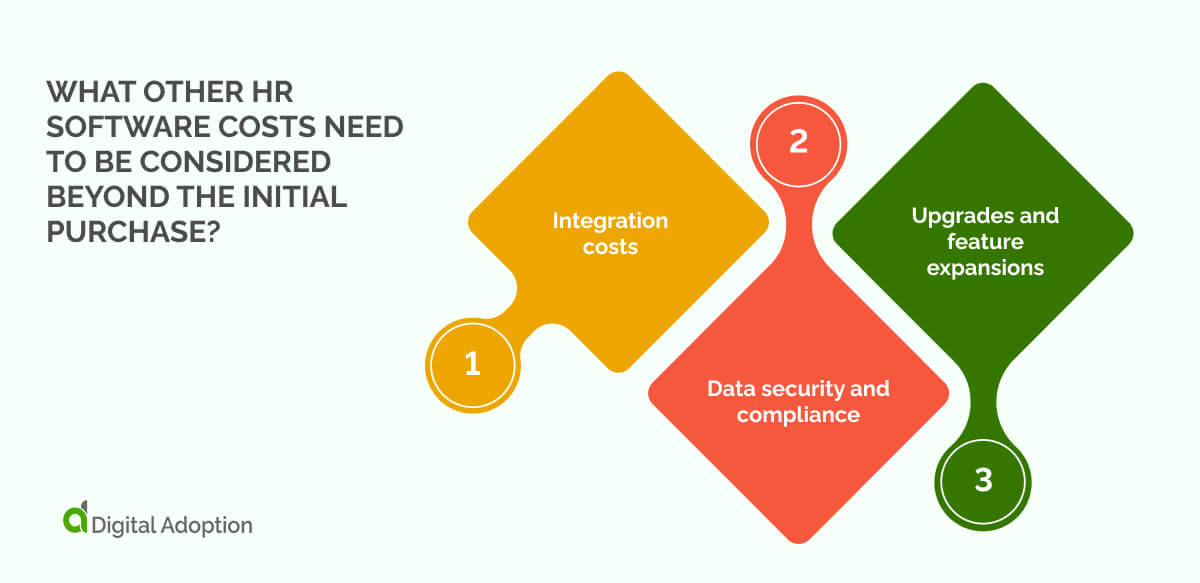
In addition to the core factors that influence HR software pricing, other less obvious costs can significantly affect your total investment.
Noting these costs and including them in your budget ensures a more accurate picture of long-term spend. Here are the other costs you should consider when planning your HR software investment:
Integration costs
Linking HR software with existing systems like payroll or CRM can add unexpected charges. Many vendors don’t include custom connectors or developer work in the base price, so confirm what’s covered early to avoid surprises.
Data security and compliance
Keeping HR software secure and compliant can cost extra for audits, encryption, or legal checks. These fees are often overlooked, so ask vendors about the security measures they include and plan for any additional requirements to protect your organization.
Upgrades and feature expansions
Adding new modules or advanced features as your business grows can increase costs. Base prices rarely cover future functionality, so check upgrade options and fees to prevent unexpected charges as your HR needs evolve.
How to measure HR software return on investment (ROI)
Understanding the return on investment (ROI) for HR software is essential before committing resources. Calculating ROI helps justify expenditure and allows you to monitor the software’s real impact over time. Here’s how to get started:
Calculation Method: ROI = (Gain of Investment − Cost of Investment) ÷ Cost of Investment
- Gain of investment: The total value you get from improvements such as higher productivity, reduced turnover, or lower training costs.
- Cost of investment: All expenses for the software, including licensing, implementation, training, and ongoing support.
How to Use:
- Set clear goals: Decide what improvements matter most to your organization.
- Record baseline metrics: Measure current performance before implementation (e.g., turnover rate, hiring time, productivity levels).
- Track post-implementation metrics: Calculate the same metrics after using the software.
- Convert improvements into monetary value: multiply hours saved, error reductions, or cost savings by the relevant rates.
- Apply the formula: Subtract total costs from gains, then divide by costs to find ROI.
Choosing the HR software for your employees and teams
HR software should always prioritize supporting employees. However, the nuances of HR software pricing make it difficult to select tools that fit their needs.
Understanding the complexities of the different pricing structures, who they support, and why is the key to investing in long-term HR solutions.
Chief human resources officers (CHROs) are constantly battling against budget constraints, competing priorities, and evolving workforce demands.
Easing the financial burden of HR software means accounting for hidden costs, usage patterns, and future scalability needs to ensure digital technology investments deliver measurable value across the organization.
When these factors align with organizational goals, HR software enhances the digital employee experience (DEX), which in turn, drives sustainable business outcomes.
People Also Ask
-
How can HR software improve strategic workforce planning?Enterprise HR software can track skills, performance, and succession pipelines, giving leaders data to forecast hiring, promotions, and training needs. This reduces talent gaps and aligns HR strategy with business ideals.
-
How does HR software support compliance in large organizations?HR platforms help enterprises stay compliant with labor laws, benefits regulations, and data privacy laws. They centralize records, automate audits, and generate reports, reducing the risk of fines and ensuring consistent application of policies across all departments and regions.
-
How can HR software help optimize global talent mobility?For enterprises with multi-location teams, HR software tracks international assignments, visa requirements, payroll differences, and relocation support. This ensures smooth employee transitions, better cost planning, and consistent policies, enabling effective global talent management without administrative bottlenecks.