FACT CHECKED
For procurers, choosing the right human resource information systems (HRIS) and navigating a clear-cut tech-buying process can feel difficult.
Various factors must be considered, including ensuring the solution aligns with business goals, evaluating vendor proposals and service expectations, and comparing costs against the value generated.
Getting HRIS pricing right ensures HR teams are equipped with the tools needed to manage the scaling of people processes and operational demands of modern digital transformation.
This article explores all things HRIS pricing, from evaluating vendors and identifying hidden and overlooked expenses to measuring software ROI to ensure spend is fully justified.
What is HRIS software?
A human resource information system (HRIS) is a centralized software used by the human resources department to manage its end-to-end HR functions. It merges human resource management (HRM) practices with IT capabilities to create a unified tool for fast-tracking an organization’s people-facing processes.
HRIS has become an essential asset within the enterprise IT stack. It delivers organizational functions for employee recruitment and onboarding, talent management, payroll, compensation, and benefits management.
These systems support employee productivity by serving as a single source of truth, ensuring employees can access up-to-date information. They also support employee performance tracking and evaluation, leveraging data metrics to keep a record of progress.
HRIS enables communication among the chief human resources officer (CHRO), managers, and teams, ensuring cross-departmental systems are interoperable and can exchange data.
Wide data availability enables the system to generate calculations and reports that inform better HR decision-making.
Careful data entry, timely updates, and historical benchmarking ensure data accuracy and validity. This minimizes manual data entry and human error and ensures regulatory compliance.
How much does HRIS software cost?
Across the market, HRIS pricing typically ranges from $5 to $25 per employee per month, with lower-cost tools covering core needs and higher-priced platforms offering enhanced functionality for meeting enterprise requirements.
Below is a table showing the average price of HRIS solutions for small, medium and enterprise-level operations.
Prices are shown in USD and are designed to help compare cost direction at a glance rather than represent fixed tier structures.
| Company size | Monthly base fee | PEPM range |
| Small businesses (up to 100 employees) | $1.25 – $49 per month | $1.25 – $49 per employee/month |
| Medium-sized businesses (100–500 employees) | $2.50 – $80 per month | $2.50 – $80 per employee/month |
| Enterprise (500+ employees) | $4.50 – $180 per month | $4.50 – $180 per employee/month |
What are the most popular HRIS platforms?
The table below provides a pricing overview for widely used HRIS platforms, showing entry points, higher-cost plans, and whether pricing shifts to custom contracts.
Final costs vary based on employee count, selected modules, contract terms, and billing cycle, and should be confirmed directly with the vendor. Prices are shown in USD.
| HRIS Platform | Entry-level | Mid-level | Enterprise-level |
| ADP Workforce | $23-$30/per employee/month | $30-$50/per employee/month | Custom |
| BambooHR | $10/per employee/month | $17/per employee/month | $25 per employee/month |
| GoCo | $5-$12/per employee/month | $9/per user/month | Custom |
| Gusto | $49/month | $80/month | $180/month |
| HiBob | $6 – $15/per employee/month | $16 – $25/per user/month | Custom |
| iSolved | $9/per employee/month | $17 – $25/per employee/month | Custom |
| Namely | $9/per employee/month | $19 – $26/per employee/month | Custom |
| Paycom | $25 – $34/per employee/month | Custom | Custom |
| Paycor | N/A | $19 – $27/per employee/month | Custom |
| Rippling | $8/per month | $21 – $29/per employee/month | N/A |
| Zoho People | $1.25/per user/month | $2.50-$3.50/per employee/month | $4.50/per employee/month |
What are the different HRIS pricing models?
Now that we have tangible cost figures for the most common HRIS platforms, let’s explore the pricing structures vendors use for their services. This isn’t an exhaustive overview of pricing models, but outlines how each can result in vastly different pricing outcomes if not considered.
| HRIS pricing model | Overview |
| Subscription-based | Recurring monthly or annual access, with charges accruing by usage, user seats, support levels, and service tiers. |
| Open-source | No license purchase, but costs pile up across hosting, security, integrations, compliance, customization, and maintenance. |
| Perpetual license | One-time upfront payment for indefinite on-premise use, excluding updates, support, and regulatory changes. |
| Pay-as-you-go | Pay only for actual usage, but fluctuating demand can undermine cost predictability at scale. |
Subscription-based
Subscription-based pricing is standard for SaaS, IaaS, PaaS, and other cloud services. It charges customers for recurring access (monthly or annually) rather than a one-time flat fee for unlimited use. Charges accrue based on capabilities, including usage, user seats, support levels, and service tiers (entry, professional, enterprise).
Open-source
Open-source HRIS software can be a cost-effective option for budget-constrained organizations that avoid license purchases, but costs can accumulate over the software lifecycle.
This includes infrastructure hosting, security set-up, integrations, compliance, customization, and ongoing maintenance. This raises the question: what does the total cost of ownership (TCO) truly encompass, and is a lower upfront cost worth potential operational bottlenecks later?
Perpetual licence
Perpetual licensing requires a single upfront payment for indefinite use of the HRIS, typically deployed on-premises. While attractive to organizations that prioritize ownership and capitalized software assets, this model generally involves updates, support, and regulatory changes. These are charged separately, leaving long-term viability dependent on internal IT capacity and slower innovation periods.
Pay-as-you-go
Pay-as-you-go HRIS pricing means you only pay for what you use, such as the number of employees you manage or the features you enable at any given time. This can work well for seasonal or fast-growing teams, but costs can change month to month. Without close oversight, spending can exceed a fixed subscription, especially in larger organizations.
What are the core costs associated with HRIS pricing?
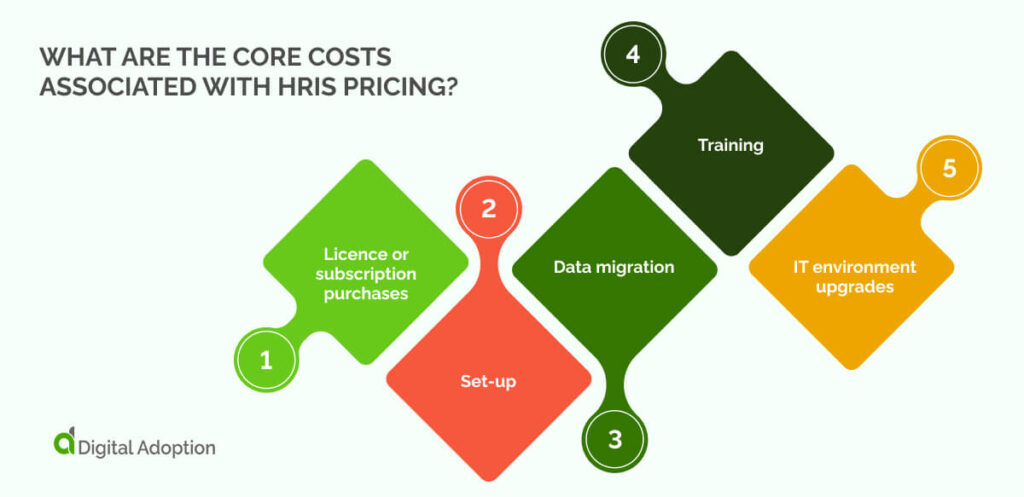
To gauge the true cost of your HRIS purchase and avoid any budget surprises or disruptions down the line, we first need to identify all expenses that add to an HRIS’s core costs. These include:
Licence or subscription purchases
Purchasing an HRIS licence or entering into a subscription is the upfront cost. Pricing varies by vendor and licence model. Perpetual licences involve a one-time payment for long-term use, often with ongoing maintenance. Subscription-based HRIS replaces ownership with rolling fees that scale by employee count, module coverage, and service tier.
Set-up
Set-up costs are the first expenses incurred after purchasing or entering into an HRIS licence arrangement. These costs are unavoidable and involve configuring the HRIS to your company’s specific structure, rules, and workflows.
Depending on the depth of customisation, fees can vary widely, with enterprise-level requirements commanding higher spend. On-premise deployments may incur additional costs for hardware provisioning, network configuration, and security infrastructure.
Data migration
Transferring data from an HR platform to a new HRIS requires a stringent migration setup. The system must accurately reflect critical employee data, including payroll, records, historical transactions, benefits history, and organizational positions.
Incomplete migration compounds risk, disrupting payroll, compliance reporting, and analytics and reporting confidence.
Training
Even the most carefully configured systems are rendered ineffective if the system user base can’t adapt to them. HR teams and employees should be able to navigate these platforms easily and understand complex user interface (UI) components.
Training investments are an upfront cost and will vary based on the scale of the effort. Training depth, delivery format, workflow differences, and user authority specs will result in pricing differences depending on your needs.
IT environment upgrades
For on-premise or hybrid HRIS deployments, your IT environment must be capable of running and protecting the system. This often means upgrading servers, storage, security controls, backup processes, and disaster-recovery arrangements.
These are non-negotiable requirements to keep risk thresholds low. Cloud-hosted HRIS reduces much of this responsibility, but organisations may still need network upgrades to ensure reliable access and secure connections.
What are the hidden or ongoing costs of HRIS pricing?
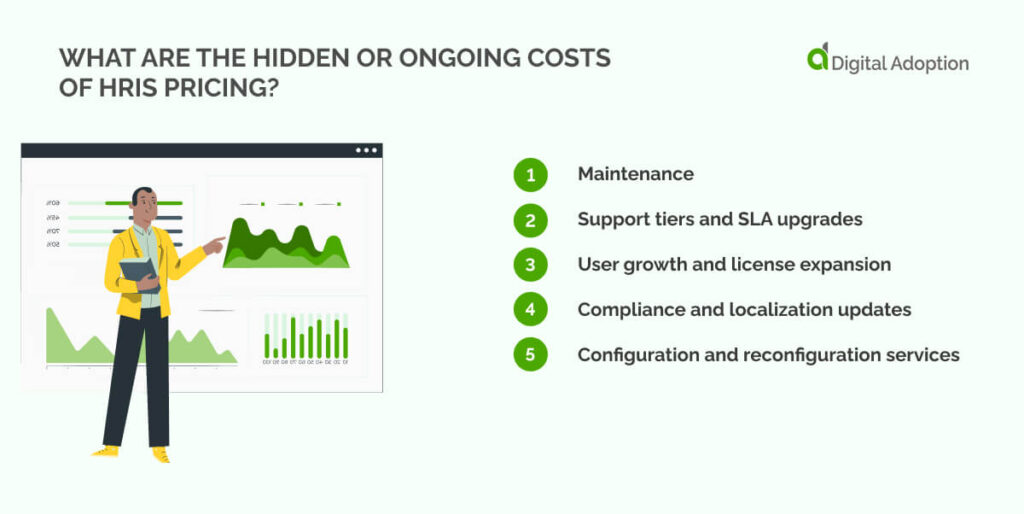
HRIS costs often shift after rollout, as day-to-day use reveals needs that were not obvious at the start. Add-ons and change requests can quietly increase spend, turning a simple price into a longer-term commitment. Here are the most common hidden costs associated with HRIS pricing:
- Maintenance: Covers regular system updates and fixes to keep the platform running as expected. These costs may seem small at first, but can increase over time as the system grows or new requirements are introduced.
- Support tiers and SLA upgrades: Higher support levels offer quicker help when issues arise. While useful during busy periods or system changes, these options typically incur ongoing costs that may not be necessary at all times.
- User growth and license expansion: As more employees are added, license costs rise alongside them. What begins as a manageable fee can grow steadily, making it important to understand how pricing scales with headcount.
- Compliance and localization updates: HR systems must remain up to date with local laws and regional regulations. Expanding into new countries or complying with new regulations can introduce additional charges beyond standard system updates.
- Configuration and reconfiguration services: Keep in mind that setup does not stop after launch. Changes to policies or structures often require further configuration, which may involve paid support when updates fall outside basic system settings.
How to evaluate HRIS vendor solutions?
Choosing an HRIS vendor goes beyond headline pricing and feature lists. The real test comes after rollout, when usage grows, and expectations shift. The questions below help surface long-term cost, fit, and integration realities before decisions are locked in:
What is the complete cost, including hidden fees for add-ons or upgrades?
Start by asking for a full breakdown of what is included today and what costs extra later. Many platforms charge separately for advanced reporting, onboarding tools, payroll links, or support upgrades. These fees often appear after launch, once teams rely on the system. Knowing this upfront keeps budgets realistic and prevents rushed decisions later.
Can your product scale to accommodate growth within our organization?
Growth usually means more employees, more data, and more complexity. A strong HRIS should handle this without becoming harder to manage or significantly more expensive overnight. Ask how pricing changes as headcount increases and whether performance or usability shifts as usage grows.
How well does your system integrate with our existing technology stack?
An HRIS should fit into how work already happens. Poor integrations create manual work, duplicate records, and confusion. Confirm which tools connect natively, which require additional setup, and whether ongoing maintenance is needed to keep systems in sync.
How to justify HRIS spend by measuring ROI
To build a compelling business case for an HRIS investment, the first step is to quantify its financial impact by identifying where the system delivers direct and measurable cost savings.
Measure how much cost has been reduced
Start with simple before-and-after numbers. Compare admin hours, payroll errors, manual fixes, and external support costs from before the HRIS launch. When fewer people spend time correcting mistakes or chasing data, the savings are visible, concrete, and easy to explain to decision-makers.
Assess for productivity and efficiency wins
Look at how everyday tasks now flow and think about the reasons behind them. Hiring approvals, time-off requests, and employee changes should move faster with fewer handoffs. When processes require fewer steps and less follow-up, people regain time for higher-value work rather than system upkeep or repeated clarification.
Check levels of data accuracy and integrity
Reliable HR data reduces second-guessing. Track how often records need correction, how consistent reports are across systems, and whether leaders trust the numbers they see. As confidence improves, fewer manual checks are required, and decisions can be made faster without lengthy validation cycles.
Check employee experience and satisfaction
Pay attention to how people interact with the system because fewer support tickets, clearer self-service actions, and positive feedback signal progress. When employees can complete HR tasks without help or frustration, the platform supports their needs rather than becoming another tool people avoid.
Ensure solutions align with compliance and legal regulations
Compliance value shows up when audits are routine rather than stressful or inaccurate. Monitor how easily reports are produced, how policy updates are applied, and whether local laws are consistently followed. Reduced risk exposure and fewer last-minute fixes reflect a system that supports legal obligations.
Map software to larger business goals
ROI increases when HR data informs broader planning. Workforce trends, attrition signals, and hiring timelines should inform financial and leadership decisions. When HR insights support budgeting, forecasting, or growth planning, the system contributes beyond administration and earns its place long term.
Deploy a pilot performance program
Short pilots create proof without pressure, so test the HRIS with a defined group and track time saved, error reduction, and feedback. Measured results often reveal value more clearly than broad rollouts, helping justify expansion with evidence rather than assumptions.
Key takeaways for getting the right HRIS pricing
Operational resilience, and business competitiveness are key motivators for HRIS adoption, alongside a focus on collecting, storing, and analyzing employee data.
As such, getting HRIS pricing right is less about spreadsheets and more about setting expectations early. When costs are straightforward and growth is planned, the system does what it’s designed to do and supports growth rather than creating a surprise expense.
The strongest HRIS choices leave room for change, people movement, and new regulations without constant rework.
When pricing aligns with usage, HR focuses on people, not permissions, limits, or anything else that diverts attention. That builds trust, reduces second-guessing, and allows the HRIS platforms to support progress in the background, exactly where it belongs.
People Also Ask
-
What are human resource information systems (HRIS)?An HRIS is software that keeps employee information in one place. It handles basics like records, payroll details, time off, and compliance tasks, so HR doesn’t rely on spreadsheets or disconnected tools to manage everyday people operations.
-
Which human resources system offers the clearest pricing transparency?Platforms with simple per-employee pricing and clearly defined tiers tend to be easiest to understand. Clear pricing usually means fewer bundled extras, upfront feature lists, and predictable increases as headcount grows, rather than vague “custom” fees that appear later.
-
Why does HRIS pricing often change after implementation?Pricing often shifts as real usage begins and systems are checked and implemented. Adding employees, enabling new features, or requesting extra support can all affect cost. What matters most is knowing how pricing adjusts over time, not just what the system costs on day one.