FACT CHECKED
Enterprise AI is no longer a side experiment for innovation teams. It is becoming part of how large organizations run service operations, support employees, process documents, and improve decisions inside core systems.
That shift matters because most enterprises do not need more AI demos. They need AI that works inside real workflows, respects security and compliance requirements, and produces measurable business outcomes. In practice, that means the conversation has moved beyond model quality alone. It now includes governance, integration, process design, and adoption.

What is enterprise AI and how is it different from consumer AI?
Enterprise AI refers to AI deployed inside business systems, workflows, and decision processes with governance, security, and measurable business outcomes attached to it. It is designed for operational use, not casual experimentation.
Consumer AI is typically optimized for individual convenience. Enterprise AI is optimized for controlled execution at scale. The difference shows up in requirements such as data protection, integration with systems of record, reliability, auditability, and accountability for results.
This is why enterprise AI matters now. Organizations are dealing with growing software complexity, pressure to improve productivity, and constant demand to automate repetitive work without disrupting existing operating models. AI can help, but only if it fits the realities of enterprise environments.
What makes AI ‘enterprise’?
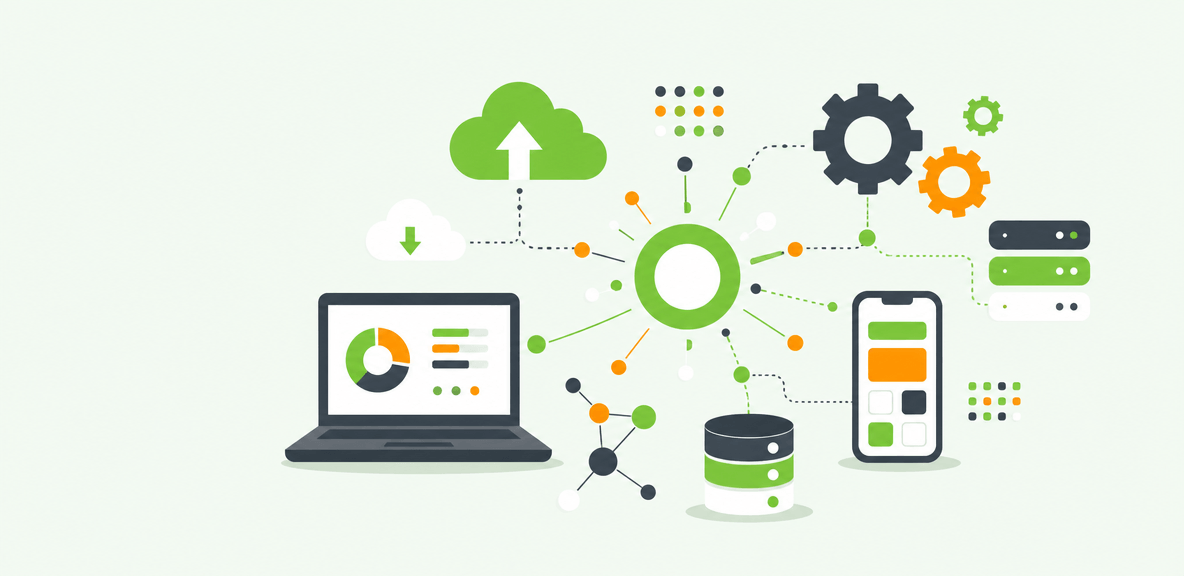
AI becomes enterprise-ready when it can operate within the controls and constraints of a large organization. In practical terms, that includes:
- Secure data access and clear data boundaries
- Integration with systems of record such as SAP, Workday, Salesforce, and ServiceNow
- Role-based permissions so employees only see what they are authorized to access
- Auditability for prompts, outputs, decisions, and workflow actions
- Monitoring for quality, usage, and policy compliance
- Deployment across departments, not just within one isolated team
These elements are what turn AI from a useful capability into an operational system.
Enterprise AI vs generative AI vs AI copilots
Generative AI is one part of the enterprise AI landscape. It can create summaries, draft content, answer questions, or generate recommendations. AI copilots are a common way to deliver that capability inside applications.
But neither generative AI nor copilots represent a complete enterprise AI strategy on their own.
A copilot may help an employee find information faster or draft a response. It does not automatically handle workflow orchestration, approvals, governance, or exception management. Enterprise AI requires those layers when work spans multiple systems, roles, and policies. In other words, copilots can improve the user interaction layer, but organizations still need process control and oversight behind the scenes.
Where enterprise AI creates the most business value
The strongest enterprise AI use cases tend to be specific, measurable, and tied to recurring work. That is where organizations can track productivity gains, reduce cycle times, improve consistency, and lower manual effort.
This matters in enterprises where software sprawl and fragmented processes create friction. Teams may have licenses for dozens of systems, but employees still lose time searching for answers, switching between applications, or completing steps incorrectly. Enterprise AI creates value when it reduces that friction inside the workflow.
High-impact enterprise AI use cases by function
Across functions, several use cases stand out:
- HR onboarding: answering policy questions, guiding new hires through systems access, benefits tasks, and mandatory workflows
- IT service workflows: automating ticket triage, recommending resolutions, and supporting employees through common requests
- Employee support: surfacing trusted answers from enterprise knowledge bases in the flow of work
- Sales enablement: helping reps find product, pricing, and process information faster inside CRM workflows
- ERP guidance: supporting employees through complex finance, procurement, and operational tasks in ERP systems
- Document-heavy processes: extracting, classifying, and routing information from forms, contracts, invoices, and policy documents
- Analytics-driven decision support: identifying anomalies, summarizing trends, and supporting managers with faster analysis
The common pattern is not novelty. It is repeatability. High-volume work with clear process steps usually produces the clearest value case.
How to prioritize use cases for ROI
Not every use case deserves to move first. A practical prioritization model looks at:
- Process volume
- Current error rate
- Impact on time-to-productivity
- Existing support burden
- Compliance or policy risk
- Ease of integration with current systems
A low-volume use case with complex governance needs may be interesting, but it may not be the best place to prove value. A high-volume employee workflow with clear baseline metrics often is.
What an enterprise AI platform needs to support
An enterprise AI platform is more than access to a model. It needs to support integration, governance, monitoring, workflow delivery, security, and adoption.
For most enterprises, the operating model includes several layers: a data layer, model access, orchestration, analytics, guardrails, human oversight, and the end-user experience. This is one reason build-versus-buy decisions are rarely binary. Many organizations combine foundation models, enterprise software platforms, workflow tools, and adoption layers rather than relying on a single vendor for everything.
Core capabilities to evaluate in an enterprise AI platform
When evaluating an enterprise AI platform, look for capabilities such as:
- Integration with enterprise applications and systems of record
- Permissioning aligned to identity and access policies
- Audit trails for prompts, outputs, and workflow actions
- Observability into usage, quality, and failure points
- Prompt and model controls to manage risk and consistency
- Workflow automation and orchestration across systems
- Measurement tied to business outcomes, not just usage metrics
Usage alone is not enough. Enterprise leaders need to know whether AI is reducing handling time, improving accuracy, lowering support volume, or increasing throughput.
Why adoption is part of the architecture
Many AI deployments stall for a simple reason: employees do not trust the output, do not know when to use the tool, or use it incorrectly.
That makes adoption part of the architecture, not an afterthought. Employees need guidance in the moment of work, especially when AI is embedded inside complex enterprise applications. In-app support, role-based onboarding, and performance guidance help teams understand what the AI is doing, when human review is required, and how to use it consistently.
This is where digital adoption matters. If AI is introduced without workflow guidance, organizations often see uneven usage, repeated mistakes, and support burdens that offset the expected gains.
How to think about enterprise AI companies and ecosystem choices
It helps to compare categories, not just vendors. Most enterprise AI ecosystems include some combination of:
- Cloud platforms
- Model providers
- Workflow and automation platforms
- Analytics and observability vendors
- Digital adoption platform providers
- Service and implementation partners
The right mix depends on the use case. A document-processing workflow may require strong model and orchestration capabilities. A broad employee rollout may require just as much attention to guidance, adoption, and measurement.
How to implement enterprise AI without getting stuck in pilot mode
Many organizations can launch a pilot. Fewer can move from pilot to production value. The difference usually comes down to scope, governance, and ownership.
A workable implementation approach starts with the business problem, not the technology. Then it moves through data readiness, use case selection, governance, narrow piloting, and measured scaling. Cross-functional ownership is essential. Enterprise AI touches IT, security, operations, HR, legal, and business leaders. It cannot sit only with an innovation team.
A practical rollout plan for enterprise AI
A practical rollout often follows these phases:
- Discovery: define the business problem, target workflow, baseline metrics, and success criteria
- Risk assessment: evaluate data sensitivity, model risk, compliance exposure, and human review needs
- Design: map workflow steps, exception paths, approvals, and system integrations
- Controlled deployment: pilot in a narrow environment with defined users and guardrails
- Training and enablement: provide role-based onboarding and in-workflow guidance
- Monitoring: track output quality, usage patterns, friction points, and business outcomes
- Optimization and scale: expand to additional teams or workflows only after measured results are clear
Governance, security, and compliance requirements
Enterprise AI requires controls around:
- Data privacy and retention
- Access controls and role-based permissions
- Approval workflows for sensitive actions
- Hallucination and quality controls
- Regulatory obligations by geography and industry
- Human-in-the-loop review for high-risk use cases
For sensitive workflows, the standard should be augmentation, not unchecked automation. Human oversight is still necessary when outputs affect employees, customers, finances, or compliance posture.
How to drive adoption after deployment
After launch, the goal is to embed AI into real work. That means:
- Contextual guidance inside the application
- Role-based onboarding for different user groups
- Performance support at the moment of need
- Analytics that identify where users hesitate, override, or abandon the workflow
This post-deployment layer is often where value is either realized or lost. A technically sound AI deployment can still underperform if employees are unclear on how to use it in practice.
What results to expect from enterprise AI and what it cannot fix
Enterprise AI can improve specific workflows and decisions. It can save time, reduce repetitive work, improve response consistency, and support better execution across complex systems.
What it cannot do is fix a broken process, poor data quality, or weak change management by itself.
That distinction matters. If the underlying workflow is unstable or the source data is unreliable, AI will surface those problems quickly. It may accelerate the process, but not necessarily improve the outcome.
How to measure enterprise AI ROI
A practical ROI framework starts with baseline process metrics, then compares changes after deployment. Useful measures include:
- Time saved per task
- Ticket deflection or reduced support volume
- Faster onboarding and time-to-productivity
- Error reduction or improved quality rates
- Throughput gains
- Software utilization and workflow completion rates
- Payback period by use case
The most credible ROI cases are narrow and specific. Measure one workflow well before making broad enterprise claims.
Common limitations and failure patterns
Common failure patterns include:
- Fragmented or inaccessible data
- Low employee trust in outputs
- Weak governance
- Poor integration into existing systems
- Unclear ownership across teams
- Overreliance on pilots that never scale operationally
In most cases, the issue is not that the model failed. It is that the operating model was incomplete.
When enterprise AI is a strong fit and when to wait
Enterprise AI is a strong fit when workflows are repeatable, high-volume, and measurable. It is especially useful when employees already work across complex systems and need help reducing friction, finding knowledge, or completing tasks more consistently.
Organizations should be more cautious when processes are changing rapidly, data is inaccessible, or governance is still immature. In those situations, fixing process and control issues first usually creates a stronger foundation for AI later.
People Also Ask
-
What is enterprise AI?Enterprise AI is AI deployed inside business systems and workflows with security, governance, integration, and measurable business outcomes. It is built for operational use in large organizations, not just individual experimentation.
-
How is enterprise AI different from generative AI?Generative AI refers to models that create or summarize content, answer questions, or produce recommendations. Enterprise AI is broader. It includes generative AI but also requires governance, permissions, integration, monitoring, workflow orchestration, and accountability for results.
-
What is an enterprise AI platform?An enterprise AI platform is the set of capabilities used to deploy and manage AI in production. It typically includes data access, model connectivity, orchestration, security controls, observability, workflow support, and tools to measure business outcomes.
-
What are the best enterprise AI use cases for large organizations?The best use cases are usually repeatable, high-volume, and measurable. Common examples include IT service workflows, HR onboarding, employee support, document processing, sales enablement, ERP guidance, and analytics-driven decision support.
-
How do you measure ROI from enterprise AI?Measure ROI against baseline process metrics such as time per task, error rates, support volume, onboarding speed, throughput, and software utilization. Then compare post-deployment performance, adoption rates, and payback period for each use case.
-
What are the biggest risks in enterprise AI adoption?The biggest risks include poor data quality, weak governance, privacy exposure, hallucinated outputs, low employee trust, unclear ownership, and poor workflow integration. Many organizations also underestimate the need for change management and in-workflow guidance after deployment.