FACT CHECKED
What is intelligent automation?

Intelligent automation is the combination of automation, AI, workflow orchestration, and analytics used to execute, streamline, and improve business processes across enterprise systems. It goes beyond simple task automation by handling variability, interpreting data, routing work, and supporting decisions inside a governed workflow.
That distinction matters. Basic automation typically follows fixed rules in stable conditions. Intelligent automation is designed for more complex enterprise environments where inputs vary, processes span multiple systems, and exceptions are common.

This is one reason the topic has moved up the priority list for enterprise leaders. Organizations are dealing with software sprawl, rising operating costs, and ongoing pressure to increase productivity without adding headcount. In that environment, automating a single click path is useful, but it rarely solves the broader process problem. Intelligent automation aims to improve how work flows across people, systems, and decisions.
Intelligent automation vs RPA vs AI
These terms are often grouped together, but they are not interchangeable.
RPA automates repetitive, rules-based steps. It is well suited for structured tasks such as copying data between systems or triggering standard actions.
AI interprets data, predicts outcomes, classifies content, or generates insights. It helps when the work involves unstructured documents, language, or pattern recognition.
Intelligent automation combines these capabilities within an end-to-end workflow. It uses orchestration, rules, integrations, and analytics to manage the full process, not just one automated step. In practice, that means an enterprise can automate parts of a workflow, apply AI where judgment support is needed, and route exceptions to the right people with visibility and controls.
How intelligent automation differs from digital adoption
Intelligent automation and digital adoption address different parts of the same operational challenge.
Intelligent automation executes or streamlines work. It reduces manual steps, connects systems, and improves process flow.
Digital adoption helps employees complete workflows correctly inside enterprise software. Through in-app guidance and workflow support, employees get help at the moment of need rather than being left to navigate complex systems on their own.
The two often work best together. Automation can handle repeatable parts of a process, while digital adoption helps employees manage exceptions, complete approvals, and use enterprise applications correctly. If the workflow still requires human action, adoption becomes part of the ROI equation.
How intelligent automation works in enterprise environments

In most enterprises, intelligent automation follows a practical operating model: identify friction, design the workflow, automate what makes sense, monitor performance, and improve over time.
The process often starts with discovery. Teams map how work actually happens, including delays, handoffs, rework, and exception patterns. From there, they design a workflow that defines which tasks are automated, which decisions are supported by AI, and where humans stay involved.
Execution then happens across the application landscape. That may include SAP for finance, Workday for HR, Salesforce for customer operations, and ServiceNow for IT service workflows. The platform coordinates actions across those systems through APIs, bots, rules, and user tasks.
Monitoring is what turns automation into an operating capability rather than a one-time build. Enterprises need visibility into process completion rates, exception volume, failure points, and cycle time. Without that, automation may run, but leaders cannot tell whether it is improving outcomes.
Governance is the final layer. Enterprise teams need security controls, auditability, exception handling, and role-based access. Automation that cannot be reviewed, adjusted, or governed at scale creates new operational risk.
The core components of intelligent automation tools
Most intelligent automation tools are evaluated across a similar set of components:
- Process discovery or process mining to identify where workflows break down
- Workflow orchestration to manage end-to-end routing, sequencing, and dependencies
- RPA bots for repetitive rules-based actions
- OCR and document understanding to extract data from invoices, forms, or other semi-structured content
- Natural language processing to interpret requests, messages, or case data
- Decisioning engines to apply business rules or support next-best actions
- APIs and integrations to connect enterprise systems directly
- Reporting and analytics to measure throughput, exceptions, and outcomes
Enterprise buyers should evaluate these components in context. A strong platform is not just one with broad feature coverage. It is one that fits the process environment, governance model, and application stack already in place.
What a typical intelligent automation workflow looks like
Take invoice processing as a simple example.
An invoice enters the process through email or upload. OCR and document understanding extract key fields such as vendor name, amount, and PO number. The workflow validates the data against ERP records. If everything matches, the invoice routes automatically for the right approvals and then to payment.
If the system detects a mismatch, duplicate, or missing field, it flags an exception and routes the item to a finance employee for review. That employee may need guidance inside the ERP or procurement system to resolve the issue correctly. Once the action is completed, the workflow resumes.
Over time, analytics show where exceptions occur most often, which vendors create delays, and which process steps still rely too heavily on manual intervention. That data informs the next round of improvement.
Where intelligent automation creates the most value
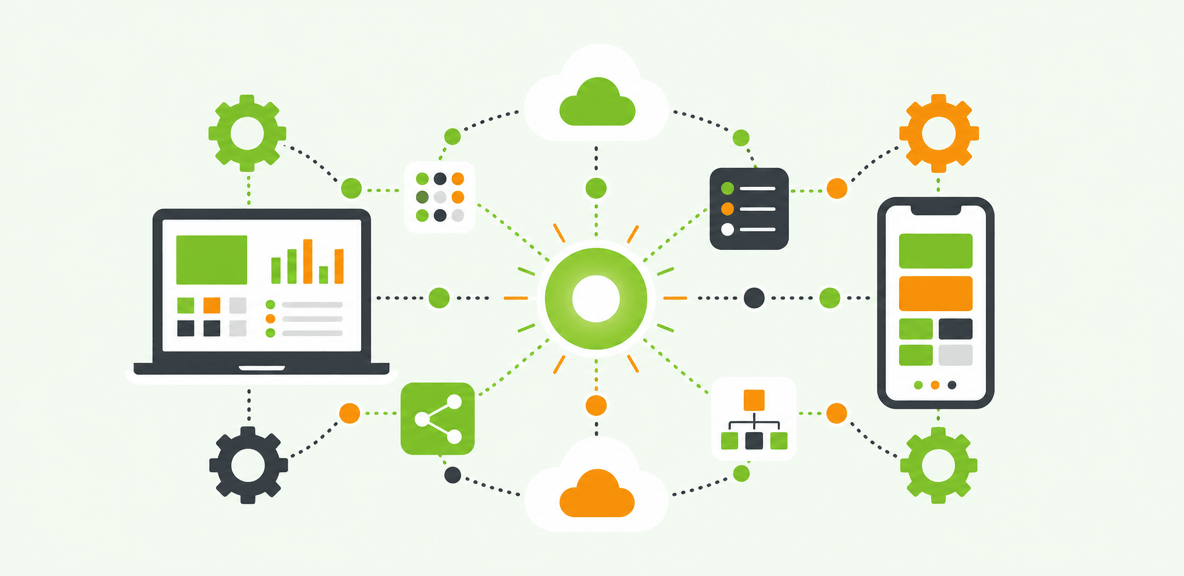
The strongest intelligent automation opportunities usually sit in high-friction, high-volume workflows that cross systems and still require human judgment at key moments.
These are not always fully lights-out processes. In many enterprises, the highest value comes from reducing manual effort and improving consistency while keeping people involved in approvals, exceptions, and sensitive decisions.
Intelligent automation examples by function
HR and employee onboarding
Automation can coordinate offer acceptance, account provisioning, policy acknowledgments, and role-based task routing across HR and IT systems. Measurable outcomes often include faster onboarding, lower administrative effort, and shorter time-to-productivity.
HR case management
Routine requests such as policy questions, document collection, or leave-related workflows can be triaged and routed automatically. This can reduce backlog and improve response consistency.
Finance: invoice and purchase order processing
Finance teams often see gains in cycle-time reduction, lower exception handling effort, and improved first-time-right completion when intake, validation, and routing are automated.
IT service request fulfillment
Password reset alternatives, software access requests, and onboarding-related service tasks are often strong candidates. Outcomes may include fewer support tickets, faster fulfillment, and better auditability.
Customer service triage
Requests can be classified, prioritized, and routed to the right queue with AI support. That improves response speed while preserving human review where necessary.
Compliance documentation workflows
Document collection, validation, reminder routing, and evidence tracking can be standardized. This often supports stronger compliance posture and reduces last-minute manual work.
How to spot a strong automation candidate
A process is usually a good candidate when it meets several of these criteria:
- Stable enough to map clearly
- High transaction volume
- Frequent manual handoffs
- Meaningful business criticality
- Manageable exception rates
- Repetitive decisions that can be structured
- Multiple systems involved
- Clear baseline metrics already available
If a workflow changes every month, has no consistent ownership, or depends heavily on subjective judgment, the business case becomes weaker.
What benefits enterprises can realistically expect
The most credible benefits of intelligent automation are operational, not theoretical.
Enterprises often pursue it to lower manual effort, improve consistency, accelerate execution, and create more usable process data. Done well, it can also improve employee experience by removing repetitive work and reducing confusion around complex workflows.
The ROI case typically combines several categories: productivity gains, support cost reduction, error avoidance, onboarding acceleration, and improved software utilization. But results vary. Process quality, system complexity, and change management maturity all shape the outcome.
Adoption matters more than many teams expect. Automation only delivers full value when employees understand when to trust it, when to intervene, and how to complete exceptions correctly inside the workflow.
Common ROI metrics for intelligent automation
Common metrics include:
- Cycle time
- Cost per transaction
- First-time-right completion rate
- Exception volume
- Employee time saved
- Time-to-productivity
- Compliance risk reduction
For many enterprise teams, these metrics are more useful than a single headline ROI number because they show where value is actually being created.
Why automation projects underperform
Automation initiatives usually underperform for predictable reasons:
- The team automated a broken process
- System integration was weaker than expected
- Governance was too light
- Exception handling was poorly designed
- User adoption lagged after launch
- Monitoring stopped once the workflow went live
Research from McKinsey on digital transformation has consistently shown that technology value depends as much on operating model and adoption as on the technology itself. Intelligent automation is no exception.
What intelligent automation cannot fix on its own
Intelligent automation is useful, but it does not replace process redesign, data quality work, or executive sponsorship.
If the workflow itself is unstable, policy changes are constant, ownership is fragmented, or core data is unreliable, automation will often expose those problems rather than solve them. The same applies to highly judgment-based work where context, negotiation, or complex tradeoffs drive each decision.
Workforce concerns should also be addressed directly. In many enterprise programs, automation shifts human work toward exception handling, decision-making, and customer-facing activity rather than simply removing roles. That does not make change management optional. It makes it more important.
When to start with standard automation instead
If a process is fully rules-based, low variability, and already well understood, standard automation may be the better first step. A broader intelligent automation stack can add unnecessary cost and complexity when a simpler workflow or bot solution would do the job.
When user guidance matters more than more automation
Sometimes the root problem is not lack of automation. It is that employees are getting stuck in complex software workflows.
In those cases, digital adoption capabilities such as in-app guidance, workflow automation, and analytics may solve the problem faster by helping users complete tasks correctly inside systems like SAP, Workday, Salesforce, or ServiceNow. WalkMe is often relevant here because it supports workflow execution and helps teams see where users struggle across enterprise applications. For organizations where process friction lives inside the application experience, digital adoption strategy may be a more practical starting point than adding another automation layer.
How to evaluate intelligent automation companies and build a practical rollout plan
Enterprise buyers should evaluate intelligent automation companies based on fit, not feature volume alone.
Scalability matters. So do integration depth, governance, analytics, and the ease of maintaining automations as systems change. But mature teams also assess what many evaluations miss: how well the platform supports change management, how the user experience works inside target applications, and whether it provides visibility into where workflows break down.
Checklist for evaluating intelligent automation tools
Use this checklist during platform evaluation:
- Discovery capabilities
- AI support for classification, extraction, or decision support
- Workflow orchestration depth
- Integration options across enterprise systems
- Security and compliance controls
- Exception management
- Analytics and reporting
- Total cost of ownership
- Ease of maintaining automations over time
- Support for enterprise change management
For workflows that depend on employees completing steps inside business applications, it is worth evaluating whether the platform can also support in-workflow guidance, adoption measurement, or embedded automation support.
A 90-day pilot approach for enterprise teams
A practical pilot plan usually looks like this:
Days 1-30: Prioritize one workflow, confirm ownership, and map the baseline. Document current cycle time, exception rates, manual effort, and system dependencies.
Days 31-60: Design and test the workflow with a contained user group. Define success metrics early, including both process outcomes and adoption measures.
Days 61-90: Train managers, launch the pilot, monitor usage, measure outcomes, and review exception patterns. Then decide whether to scale, refine, or stop.
This phased approach reduces risk. It also creates the evidence needed for a broader internal business case. If the process improvement depends not just on automation but also on employees completing tasks correctly in enterprise software, solutions such as WalkMe’s analytics and automation capabilities can be worth evaluating alongside core automation tooling.
People Also Ask
-
What is intelligent automation in simple terms?Intelligent automation is the use of automation, AI, workflow logic, and analytics to complete and improve business processes. It goes beyond simple task automation by handling variability, routing exceptions, and supporting decisions across systems.
-
What is the difference between intelligent automation and RPA?RPA automates repetitive, rules-based tasks. Intelligent automation includes RPA but adds AI, orchestration, decisioning, and analytics to manage broader end-to-end workflows, especially when data varies or human review is still required.
-
How do you measure ROI for intelligent automation?Measure ROI using operational metrics tied to the target process. Common inputs include cycle-time reduction, cost per transaction, employee time saved, lower exception volume, higher first-time-right completion, reduced support effort, faster onboarding, and lower compliance risk. The strongest business cases compare these metrics before and after deployment rather than relying on generalized benchmarks.