FACT CHECKED
What onboarding software is and why it matters more in 2026

Onboarding used to be treated as an administrative phase. HR collected forms. IT provisioned accounts. Customer success ran kickoff calls. Then the organization moved on.
That model no longer holds up. In 2026, onboarding is tied directly to time-to-productivity, software ROI, retention, compliance, and support cost. When onboarding fails, the problem does not stay inside HR or customer success. It shows up in missed productivity targets, delayed revenue, avoidable tickets, poor license utilization, and inconsistent process execution across enterprise systems.
This is why onboarding has become a broader business issue. Boards may not ask whether your new hire packet was completed on time. They do ask why major software investments are underused, why ramp times remain high, and why productivity gains take longer than expected to appear.
The core problem is simple. Software gets deployed, but adoption inside that software often lags. Workflows exist, but users do not complete them correctly or consistently. Training happens, but the lessons decay when employees or customers enter live systems and need to perform real tasks.
A useful evaluation framework should start there. Before you compare vendors, define the onboarding problem you need to solve: workflow execution, training delivery, compliance, software adoption, visibility into outcomes, or all of the above.
What is onboarding software?
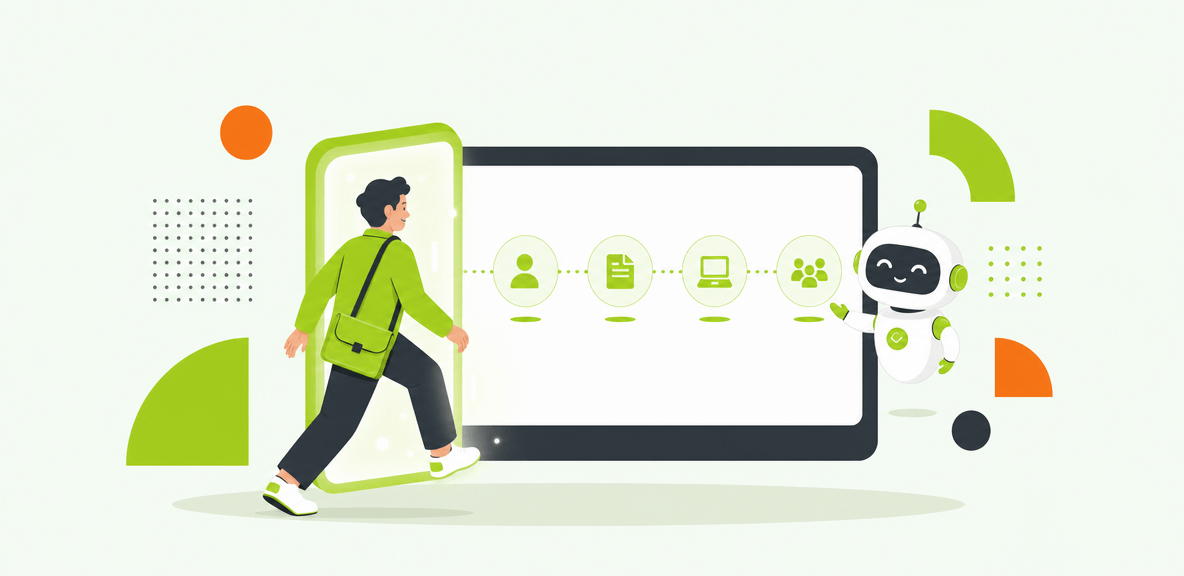
Onboarding software is a category of tools designed to help organizations guide new employees, customers, or end users through the tasks, documents, systems, and training required to become productive.
Depending on the use case, onboarding software may include workflow automation, document collection, task management, e-signature support, training delivery, in-app guidance, analytics, reporting, and compliance support. Some platforms focus on process administration. Others focus on software adoption inside live applications. The strongest onboarding systems connect both.
Employee onboarding software vs. customer onboarding software
Employee onboarding software and customer onboarding software solve different problems, even if they share similar features.
Employee onboarding tools usually support HR, IT, managers, and operations teams. Their goals include paperwork completion, policy acknowledgment, provisioning, role readiness, and faster time-to-productivity. Success is measured through completion rates, first-week task accuracy, support volume, and retention indicators.
Customer onboarding software typically supports implementation, services, or customer success teams. Its goals include faster activation, milestone completion, stakeholder alignment, training, and a clean handoff into ongoing account management. Success is measured through time to go-live, product adoption, expansion readiness, and churn risk.
The distinction matters. A platform built for customer project management may not help an employee navigate a live ERP workflow. An HR checklist tool may not support a multi-stakeholder SaaS implementation.
Why traditional onboarding approaches break down
Traditional onboarding approaches tend to fail in predictable ways.
Training decay is one of the biggest reasons. People complete training before they need to do the actual work. By the time they enter the live environment, the details are gone. Manual handoffs create another weak point, especially across HR, IT, legal, operations, and line managers. One missed approval or delayed task can stall the entire process.
Support tickets often spike after go-live because users know the basics but cannot complete real workflows without help. Process execution becomes inconsistent across regions, teams, or business units. And without good analytics, leaders can see that onboarding tasks were assigned but not whether users became productive.
What the best onboarding software should help you improve
The best onboarding software should improve outcomes you can measure, not just checklist completion.
In most organizations, that means faster time-to-productivity, lower support burden, higher workflow completion, better training utilization, and more consistent execution in the systems where work actually happens. It also means better accountability. If you cannot measure onboarding performance at the task level, you cannot improve it with confidence.
Different teams define success differently. HR may care about policy completion and early retention. IT may focus on account readiness and ticket reduction. Operations may care about workflow accuracy. Customer success may focus on time to launch and renewal health. Finance usually wants to know whether investments in training, software, and labor are producing measurable returns.
That is why adoption matters as much as automation. A process can be technically automated and still fail if people cannot complete the work inside the applications that support it.
Key onboarding metrics to track
A useful onboarding scorecard should include:
- Time-to-productivity
- Onboarding completion rate
- First-week task accuracy
- Support tickets by user cohort
- Document turnaround time
- Retention or churn signals
- Training completion rates
- Actual workflow performance in live systems
The last two should not be confused. Training completion tells you whether someone finished a module. Workflow performance tells you whether they completed the real task correctly. The second metric is usually more valuable.
Where onboarding software delivers ROI
Onboarding software typically delivers ROI in four areas.
First, productivity gains. If users reach competency faster, the organization benefits sooner. Second, support cost reduction. Fewer avoidable tickets reduce pressure on HR, IT, and operations teams. Third, onboarding acceleration. Shorter ramp times improve workforce readiness and customer time to value. Fourth, training efficiency. Less dependence on repeated live sessions lowers delivery cost.
Results vary by process quality, software complexity, and rollout scope. A strong platform improves execution and visibility. It does not automatically fix weak process design.
Why analytics separate useful onboarding systems from basic workflow tools
Checklist completion alone is not enough. You need task-level visibility into where people stall, where they abandon workflows, and which systems create the most friction.
That is where analytics matter. Useful onboarding systems show friction points, adoption patterns, and completion outcomes across the workflow. Basic workflow tools tell you that a task was assigned. Better platforms show whether the user actually finished the work correctly in the live environment.
How to evaluate onboarding software by use case

The onboarding software market is easier to navigate when you group tools by use case instead of reading broad “best software” lists.
Most buying motions fall into four categories: employee onboarding, customer onboarding, user onboarding inside a product, and enterprise onboarding support across multiple applications. Many organizations need a combination of these capabilities, but they should avoid buying disconnected tools without a clear ownership model.
The right fit depends on process complexity, application footprint, governance requirements, and how much of the onboarding journey happens inside enterprise software.
Employee onboarding tools for HR, IT, and operations
Employee onboarding tools typically manage offer-to-day-one workflows and the first weeks of employment. Common capabilities include document collection, e-signature support, policy acknowledgments, provisioning coordination, role-based training, and manager task tracking.
These tools are useful when the main problem is administrative coordination. They are less effective when the bottleneck appears after the employee enters systems like Workday, ServiceNow, Salesforce, or SAP and needs help completing real tasks.
Customer onboarding software for B2B service and SaaS teams
Customer onboarding software usually centers on implementation milestones, shared project plans, stakeholder communication, training delivery, and the transition into long-term customer success.
These platforms help teams standardize delivery and improve visibility across accounts. They are strongest when onboarding is collaborative, timeline-driven, and dependent on multiple customer-side stakeholders. They are weaker when the main challenge is in-product task completion across complex workflows.
User onboarding tools for software adoption inside the product
User onboarding tools focus on helping users adopt software while they are inside the product itself. Typical features include in-app guidance, product tours, prompts, checklists, and self-serve support.
This category is important because many onboarding failures happen after access is granted. A user may know where to log in but still not know how to complete the task. In-app support closes that gap by guiding people at the moment of need.
Onboarding systems for enterprise environments
Enterprise onboarding often crosses applications, teams, and approval layers. A new employee may move through HRIS, identity systems, ITSM tools, collaboration platforms, CRM, ERP, and internal knowledge systems in a single journey.
In these environments, onboarding systems need to support complex approvals, compliance requirements, legacy software, and one consistent layer across multiple applications. This is where basic checklist tools often reach their limit. The hard part is not assigning tasks. It is helping users complete work across fragmented systems with accountability.
How to choose the best onboarding software: features, fit, and tradeoffs
A good selection process should go beyond a feature checklist. You need to evaluate fit across deployment model, governance, scale, change management requirements, and the software environments users will actually work in.
In 2026, most buyers should prioritize automation, integrations, analytics, and contextual guidance. The overlooked question is what happens after the workflow starts. If users enter live enterprise software and still need help, onboarding software must support execution in that environment, not just preparation before it.
Core features to look for
Most buyers should evaluate onboarding software for these capabilities:
- Workflow automation
- Prebuilt templates
- E-signature support
- Task routing and approvals
- Role-based journeys
- Content and training delivery
- Notifications and reminders
- Reporting and dashboards
- Integration with HRIS, CRM, ITSM, and LMS platforms
Those are the baseline requirements. For more complex environments, also look for in-app guidance, adoption analytics, and support for workflows that span multiple enterprise applications.
Questions enterprise buyers should ask vendors
Ask vendors practical questions early:
- How long does implementation usually take?
- How does the platform handle custom or legacy applications?
- What happens when the underlying software updates?
- What security and compliance controls are available?
- How deep are the analytics?
- Can the platform scale across multiple business units and geographies?
- What is the total cost of ownership over 12 to 24 months?
These questions often reveal more than a demo does. They show whether the platform can support real operating conditions after rollout.
When in-app guidance becomes the missing layer
Many onboarding programs look complete on paper and still fail in practice. The reason is often simple: users begin the workflow in a live system and need context-aware help, not another training module.
This is where in-app guidance becomes the missing layer. It supports users while they complete real tasks, reduces avoidable errors, and improves adoption where knowledge is most likely to break down. For enterprise teams, this can matter more than another content library or status dashboard.
How WalkMe fits into onboarding software decisions
WalkMe fits onboarding decisions as the action bar and execution and accountability layer for enterprise software onboarding.
For organizations with complex employee systems, the challenge is often not document collection. It is what happens inside the applications employees must use every day. WalkMe provides screen-level context, cross-application unification, workflow execution, and adoption analytics across enterprise software environments. That matters when onboarding spans systems such as SAP, Salesforce, ServiceNow, Workday, and custom applications.
Rather than replacing HR onboarding platforms or project-based onboarding tools, WalkMe complements them. It helps close the gap between assigned onboarding tasks and successful execution in the software where the work happens.
Realistic expectations: what onboarding software can and cannot fix
Onboarding software can improve consistency, execution, and visibility. It can reduce manual coordination, shorten ramp times, and surface where friction is slowing users down.
What it cannot do is repair a broken process, fix poor source data, or create ownership where none exists. If managers ignore tasks, systems are fragmented, or success metrics are unclear, the platform will expose those issues faster but not solve them on its own.
Some organizations need one platform. Others need a stack. The key is to avoid tool sprawl that creates a second onboarding problem: too many disconnected systems with unclear accountability.
Common mistakes that undermine onboarding software ROI
Several mistakes consistently reduce ROI:
- Automating bad processes
- Relying only on one-time training
- Skipping analytics
- Underestimating change management
- Treating onboarding as a single event instead of an ongoing adoption process
The last point is easy to miss. Onboarding does not end when access is granted or the first checklist is complete. In enterprise environments, value appears when users can perform real work accurately and consistently.
A practical shortlist framework for 2026 buyers
A practical shortlist should narrow options using five filters:
- Onboarding type: employee, customer, user, or enterprise cross-application support
- System complexity: straightforward workflows or multi-system process execution
- Required integrations: HRIS, CRM, ITSM, LMS, ERP, and custom tools
- Governance needs: compliance, auditability, permissions, and change control
- Target metrics: the outcomes the business must improve within 6 to 12 months
That framework helps you compare tools by the problem they solve, not by the length of their feature list.
If you are building a buying team this year, start with a side-by-side matrix of your onboarding workflows, the systems each workflow touches, and the metrics leadership expects to improve. That exercise usually makes the shortlist much clearer than another generic vendor roundup.
People Also Ask
-
What is onboarding software?Onboarding software helps organizations manage the tasks, training, documents, approvals, and software guidance required to bring employees, customers, or users to productivity. Depending on the use case, it may include workflow automation, e-signature support, content delivery, in-app guidance, reporting, and compliance support.
-
What is the difference between employee onboarding tools and customer onboarding software?Employee onboarding tools focus on workforce readiness, paperwork, provisioning, policy completion, and role-based ramp-up. Customer onboarding software focuses on implementation milestones, stakeholder coordination, training, and time to value. They may share features, but they serve different teams and success metrics.
-
How do I choose the best onboarding software for my company?Start by defining the onboarding type, the systems involved, the governance requirements, and the outcomes you need to improve. Then evaluate platforms based on process fit, integration needs, analytics depth, in-app support, implementation model, and total cost of ownership.
-
What features should onboarding systems include in 2026?Most onboarding systems should include workflow automation, templates, task routing, e-signature support, role-based journeys, content delivery, notifications, reporting, and integrations with core business systems. In more complex environments, in-app guidance, cross-application support, and adoption analytics are also important.
-
Can onboarding software integrate with HR, CRM, and IT tools?Yes. Many onboarding platforms integrate with HRIS, CRM, ITSM, LMS, and other business systems. The more important question is how well those integrations support the real workflow, how resilient they are to updates, and whether the platform can also support tasks inside live applications.
-
How do companies measure onboarding software ROI?Most companies measure onboarding software ROI through productivity gains, support cost reduction, onboarding acceleration, and training efficiency. Common metrics include time-to-productivity, workflow completion rates, first-week task accuracy, ticket volume, document turnaround time, and retention or churn indicators.