FACT CHECKED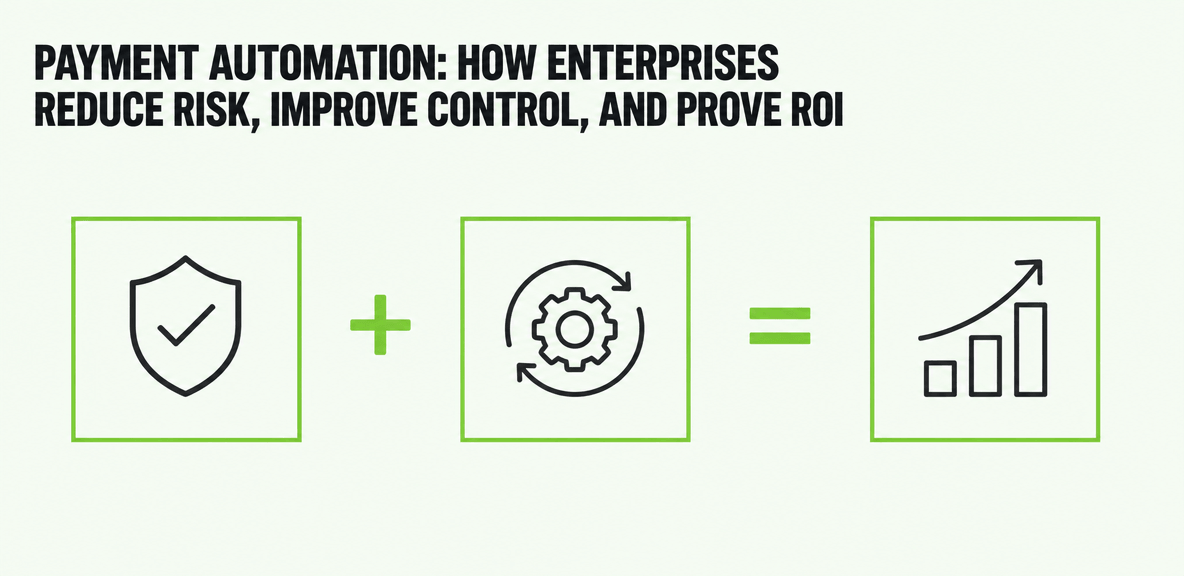
What is payment automation, and why are enterprises prioritizing it now?

Payment automation is the use of rules-based, system-connected workflows to manage payments from invoice review through approval, execution, and reconciliation. In practice, it replaces fragmented tasks spread across inboxes, spreadsheets, ERP screens, bank portals, and manual follow-up.
That matters because enterprise payment operations are under pressure from both sides. Volumes keep rising, while finance leaders are being asked to improve control, reduce manual work, and produce clearer audit evidence. What used to be tolerated as AP overhead is now treated as a measurable operational risk.
Manual payment processes create familiar problems. Payments get delayed because an approver misses an email. Duplicate payments slip through when teams work from disconnected files. Treasury lacks a clear view of payment timing. Suppliers chase status updates because remittance information is incomplete or inconsistent. Fraud controls depend too heavily on human review.
Payment automation addresses a narrower and more practical problem than a broad finance transformation program. It focuses on the workflows that move money, the controls that govern those workflows, and the outcomes finance leaders can measure. That includes cycle time, exception rates, on-time payment performance, reconciliation effort, and policy compliance.
What payment automation includes in practice
Most enterprise payment automation programs cover a defined set of workflow components:
- Invoice capture and data extraction
- Approval routing based on policy, amount, entity, or cost center
- Payment scheduling and payment run management
- Vendor payment method management
- Remittance delivery
- Exception handling and queue management
- Reconciliation and status reporting
The exact scope varies by organization, but the goal is consistent: reduce handoffs, enforce control, and make payment status visible from start to finish.
Manual payments vs. payment automation
In a manual environment, AP teams often rely on email threads, spreadsheets, ERP exports, and separate banking tools. Each handoff increases the chance of delay or error. Policy enforcement becomes inconsistent because too much depends on individual judgment and memory.
With payment automation, the workflow itself enforces the process. Approvals route according to predefined rules. Actions are recorded automatically. Payment methods can be limited by vendor type, amount, entity, or geography. Exceptions go to queues instead of disappearing into an inbox. Finance gets a record of what happened, who approved it, and where a delay occurred.
That shift is why enterprises are prioritizing payment automation now. It reduces risk while making AP more predictable and easier to measure.
How payment automation works across the enterprise payment lifecycle

Payment automation works best when payments are treated as an end-to-end process, not a back-office event. The workflow starts when invoice and supplier data enters the system and continues through approval, payment execution, settlement, and reconciliation.
That process connects multiple teams. AP manages intake and payment runs. Procurement influences supplier and PO data. ERP teams maintain system rules and master records. Treasury manages liquidity and payment timing. Business approvers authorize spend. Good payment automation brings those functions into one controlled workflow instead of forcing each team to operate from its own toolset.
Controls are central to the model. Approval thresholds, segregation of duties, payment method rules, exception queues, and audit trails help finance scale without losing accountability.
Step 1: Capture, validate, and route payment data
The first step is getting accurate invoice and supplier data into the workflow. That may include scanned invoices, e-invoices, supplier portal submissions, or ERP-generated obligations. Validation rules check required fields, match vendors to master data, and flag missing or inconsistent details before a payment reaches the approval stage.
Routing rules then send items to the right approvers based on amount, business unit, entity, spend category, or other policy logic. This reduces the back-and-forth that slows manual AP teams and creates a clearer approval record.
Step 2: Approve, schedule, and execute payments
Once validated, payments move through approval workflows. Automation helps enforce approval hierarchies and segregation of duties so the same user cannot initiate, approve, and release a payment when policy prohibits it.
After approval, payments are scheduled based on due date, discount opportunity, cash positioning, and payment method rules. Enterprises may support ACH, virtual card, wire, and check where needed, with workflows determining which method is appropriate for the vendor and transaction type. Payment runs can then be executed in a structured, repeatable way rather than through manual batch preparation.
Step 3: Reconcile, report, and improve
After execution, the focus shifts to confirmation and visibility. Payment automation supports remittance tracking, matching, reconciliation, and exception reporting so AP can confirm that payments settled correctly and investigate issues quickly.
This is also where ROI becomes visible. Finance can measure cycle time, discounts captured, payment status, exception volume, and reconciliation effort. Those metrics help teams improve workflow design over time rather than treating payments as a fixed administrative burden.
Payment automation examples by use case
A few examples make the model more concrete:
- Recurring supplier payments: Standard monthly vendor disbursements can be validated, routed, scheduled, and released with limited manual touch.
- Multi-entity approvals: Global organizations can apply different thresholds and approval paths by legal entity while preserving centralized visibility.
- Urgent exception payments: A flagged rush payment can follow a separate approval path with documented justification and tighter release controls.
- ERP-driven vendor disbursements: Payment instructions originating in the ERP can move into controlled execution workflows with status tracking and reconciliation.
What are the business benefits of payment automation?

The main value of payment automation is not just speed. It is controlled speed. Enterprises want faster payment cycles, but they also need fewer errors, stronger compliance, and better visibility into what is happening across AP.
For CFOs, controllers, and AP leaders, the business case usually comes down to measurable operational outcomes. How much manual entry was removed? How many exceptions were prevented? How much faster is reconciliation? Are suppliers being paid on time with fewer disputes?
Payment automation improves control without requiring AP to compensate through more email follow-up and manual review. The process itself carries more of the burden.
Operational ROI: time, cost, and accuracy
Operational ROI often appears first. Common categories include:
- Reduced manual entry and fewer repetitive handoffs
- Lower duplicate payment risk through validation and matching rules
- Less effort spent chasing approvals
- Faster payment runs
- Shorter month-end reconciliation cycles
- Lower exception handling volume over time
These gains matter because AP work is often constrained by headcount. Payment automation increases throughput without forcing finance teams to scale labor at the same rate as transaction volume.
Control and compliance ROI
Control improvements are just as important as efficiency gains. Payment automation creates a documented record of approvals, timing, changes, and exceptions. That supports audit readiness and clearer accountability across AP, finance, and business stakeholders.
It also helps reduce fraud exposure by enforcing role-based access, approval thresholds, and payment method rules. Stronger controls do not eliminate risk on their own, but they reduce reliance on informal workarounds and undocumented decisions.
Cash flow and supplier relationship impact
Better scheduling gives finance more control over disbursement timing. That improves cash visibility and helps organizations capture early-payment discounts when the economics make sense.
Suppliers also benefit from more predictable payment timing and clearer remittance details. When vendors know when they will be paid and can match payments more easily, payment status disputes tend to fall. That reduces friction for both AP and the supplier base.
How to evaluate payment automation software and ERP fit
Payment automation software should be evaluated as part of a broader operating model, not as a feature checklist. The right question is not whether the product supports every possible function. It is whether it reduces exceptions, preserves control, and scales across business units, legal entities, and payment methods.
A practical evaluation framework should cover workflow flexibility, approval controls, reconciliation support, reporting depth, security, implementation effort, and the vendor onboarding experience.
Key capabilities to look for in payment automation software
Core capabilities should include:
- Configurable approval routing
- Payment scheduling and payment run controls
- Exception management workflows
- Audit logs and action history
- Role-based access controls
- Vendor payment method management
- Remittance support
- Reporting on cycle time, exception rates, and payment status
- Vendor self-service options where appropriate
These capabilities matter because they support both automation and accountability. A fast workflow without reliable controls usually creates new risk instead of solving the old one.
How payment automation fits with ERP environments such as NetSuite
For many buyers, ERP fit is central to the decision. In NetSuite environments, payment automation is often evaluated alongside related needs such as NetSuite bill capture, AP automation NetSuite workflows, and intelligent payment automation NetSuite capabilities.
The important question is how these pieces connect. Buyers should assess how invoice data enters the ERP, how approvals are triggered, how master data is governed, and where payment execution occurs. If bill capture is automated but approvals still depend on email, the control gap remains. If payment execution is connected but reconciliation is manual, visibility will still be limited.
In other words, ERP-connected payment automation should support end-to-end process accountability, not just data transfer.
Questions to ask before implementation
Before implementation, finance teams should ask:
- How clean is our supplier and payment master data?
- Are approval authorities clearly defined by amount, entity, and scenario?
- Which exceptions occur most often today?
- Who owns reconciliation when a payment fails or remains unresolved?
- How many legal entities, currencies, and payment methods must the workflow support?
- What supplier enablement effort will be required?
- Which baseline metrics will we use to measure improvement?
Those questions often reveal whether the bigger constraint is software capability or process discipline.
Where payment automation falls short and how to set realistic expectations
Payment automation improves execution, but it does not fix every finance process problem. It will not solve poor supplier data, weak approval policy, fragmented ownership, or broken upstream invoice processes on its own.
That is why some projects underperform. The workflow gets automated, but the underlying process remains exception-heavy and hard to govern.
Common pitfalls that slow results
Several issues regularly delay value:
- Weak supplier master data
- Unclear approval authority
- Poorly designed exception handling
- Over-customized approval chains
- Supplier onboarding friction
- Insufficient training for AP teams and approvers
These are not minor implementation details. They determine whether automation actually reduces work or simply shifts work into new queues.
A phased approach to payment automation
A phased approach is usually more effective. Start with a defined payment segment, business unit, or payment type that has enough volume to produce measurable results. Establish baseline metrics for cycle time, exception rates, duplicate payments, reconciliation effort, and on-time payment performance.
Then expand as controls stabilize and data quality improves. This approach creates faster operational proof and makes adoption easier for AP, approvers, and treasury stakeholders. In practice, successful payment automation is as much about digital adoption and process discipline as it is about software selection.
If you are evaluating payment automation now, the most useful next step is to map one payment workflow end to end. Document where data enters, where approvals stall, where exceptions pile up, and where reconciliation breaks down. That process map will give you a better basis for comparing software, ERP fit, and implementation scope than any product demo alone.
People Also Ask
-
What is payment automation in accounts payable?Payment automation in accounts payable is the use of software-driven workflows to manage payment-related tasks such as invoice validation, approval routing, payment scheduling, execution, remittance, and reconciliation. The goal is to reduce manual effort while improving control, visibility, and audit readiness.
-
How does payment automation work with an ERP like NetSuite?Payment automation works with an ERP like NetSuite by connecting invoice, vendor, approval, and payment data to the systems finance already uses. Buyers often assess NetSuite bill capture, AP automation NetSuite workflows, and intelligent payment automation NetSuite options together to determine whether the end-to-end process preserves approval control, payment visibility, and reconciliation support.
-
What are the main benefits of payment automation for enterprise finance teams?The main benefits include faster payment cycles, fewer errors, lower manual processing effort, stronger compliance, better audit documentation, improved cash flow visibility, and more predictable supplier payments. It also gives finance teams clearer ROI metrics such as throughput, exception rates, discount capture, and reconciliation time.
-
What is the difference between AP automation and payment automation?AP automation usually covers the broader accounts payable process, including invoice capture, coding, matching, and approvals. Payment automation focuses more specifically on the workflows that move approved obligations into scheduled, controlled, and reconciled payments. In many enterprises, payment automation is part of a larger AP automation strategy.
-
Are there risks or limitations to payment automation?Yes. Payment automation does not correct poor master data, unclear approval policies, or fragmented ownership by itself. Common risks include exception-heavy workflows, supplier onboarding delays, over-customized approval logic, and weak adoption by AP teams or approvers. Results depend on process discipline as well as software design.
-
What are some common payment automation examples?Common payment automation examples include recurring supplier payments, multi-entity approval workflows, ACH and wire payment scheduling, urgent exception payments with additional controls, automated remittance delivery, and ERP-driven vendor disbursements with reconciliation tracking.