FACT CHECKED
Enterprise integration sounds technical, but the business problem is simple. Work rarely happens inside one system. A customer order may start in a CRM, move through ERP, trigger a warehouse workflow, create a service record, and appear in finance reporting. If those systems do not connect reliably, people end up stitching the process together by hand.
That is why enterprise integration matters more now than it did a decade ago. Most organizations are managing a mix of cloud platforms, on-premise systems, custom applications, partner networks, and AI tools. The result is not just architectural complexity. It is operational friction that slows decisions, increases manual work, and makes it harder to scale.

A strong enterprise integration strategy helps you reduce that friction. It connects systems, data, processes, and people so work can move with less delay and less rekeying. But it also requires realism. Integration is not a one-time modernization project. It is an ongoing operating capability that has to evolve with the business.
What is enterprise integration and why does it matter now?

Enterprise integration is the discipline of connecting applications, data, processes, and users across the business so work can move reliably between systems. It includes the technical patterns that move information between platforms, as well as the governance and operating model that keep those connections usable over time.
The urgency has increased for several reasons. First, cloud adoption expanded the number of business applications most enterprises run. Second, many organizations still depend on legacy systems that cannot simply be replaced. Third, AI and automation programs depend on connected systems and usable workflow data. Finally, compliance expectations are higher, which means fragmented processes create more than inconvenience. They create audit, security, and operational risk.
The cost of fragmentation shows up in familiar ways:
- duplicate or conflicting data across systems
- manual handoffs between teams and applications
- delayed reporting and slower operational decisions
- inconsistent customer and employee experiences
- rising integration maintenance costs for IT
These problems do not disappear after one major project. New applications get added. Existing platforms change. Business priorities shift. Enterprise integration works best when treated as a long-term capability with architecture, standards, and ownership.
What enterprise integration includes
Enterprise integration spans several domains:
- Application integration: connecting business systems so transactions and workflow states move between them
- Data integration: consolidating, synchronizing, or exposing data for reporting and operational use
- Process integration: coordinating multi-step workflows that cross systems, teams, and approvals
- B2B integration: exchanging structured information with suppliers, logistics partners, distributors, and customers
- Identity and access coordination: making sure users, permissions, and authentication policies work across systems
- Event-driven communication: enabling systems to react to changes in near real time instead of waiting for scheduled updates
The right mix depends on your environment. A finance-heavy transformation may focus on ERP, procurement, and supplier integration. A service transformation may prioritize CRM, ITSM, and knowledge systems.
Why disconnected systems create operational risk
Disconnected systems do more than slow work down. They create failure points that are hard to monitor and expensive to fix.
When CRM, ERP, HCM, ITSM, and productivity tools operate in silos, employees build workarounds. They copy values from one screen to another, maintain side spreadsheets, and rely on inboxes or chat messages to move tasks forward. Those workarounds may keep the business running in the short term, but they weaken visibility and increase error rates.
Over time, the organization starts depending on brittle manual coordination. That raises support volume, complicates compliance, and makes change harder. Even small system updates can break processes that no one formally documented.
What are the main types of enterprise integration?

Not all integration problems are the same. Some require a direct system connection for a specific workflow. Others need a scalable pattern that supports many applications over time. The goal is to match the integration model to the business need, rather than defaulting to whatever tool is already in place.
Application-to-application integration
Application-to-application integration connects two or more systems so they can exchange data or trigger actions. Common examples include synchronizing customer records between CRM and ERP, creating service tickets from monitoring tools, or sending approved employee data from HCM into identity systems.
This is often where integration efforts begin because the use case is visible and immediate. A team needs one system to update another, so IT builds a direct connection. That can work for isolated needs, but it becomes harder to manage when each new requirement adds another custom link.
Data integration
Data integration focuses on making information usable across reporting, analytics, and operations. That may involve ETL or ELT pipelines, batch synchronization, streaming updates, or master data management.
Batch integration still fits many use cases, especially when daily or hourly updates are enough. Real-time integration matters when business decisions depend on current inventory, pricing, account status, or service conditions. The key is not choosing real time by default. It is choosing the level of freshness the workflow actually requires.
Data integration also matters for consistency. If customer, product, or supplier records differ across systems, process integration will break no matter how elegant the architecture looks.
Process integration
Process integration coordinates end-to-end workflows that span multiple systems, roles, and approvals. This goes beyond moving data from point A to point B. It is about making sure work progresses correctly across an entire business journey.
Examples include:
- order-to-cash
- procure-to-pay
- hire-to-retire
- case resolution
- returns and claims handling
These workflows usually depend on timing, exceptions, and human decisions. That is why process integration often exposes gaps that pure data integration does not solve.
B2B and ecosystem integration
Many overviews understate external integration, but it is central to enterprise operations. B2B integration connects your systems with suppliers, logistics providers, banks, distributors, healthcare networks, or retail partners.
This may involve EDI, partner APIs, secure file exchange, or industry-specific standards. The challenge is not only technical compatibility. It is also the reliability, governance, and change management required when one side updates a contract, schema, or process.
Which enterprise integration architectures and tools support scale?
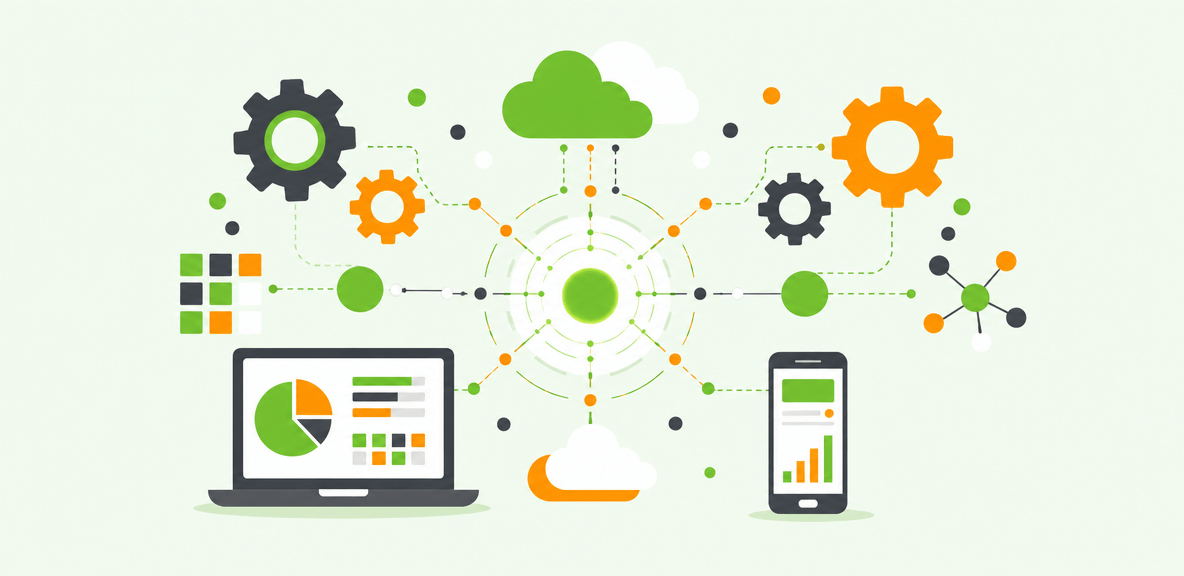
As integration demands grow, architecture choices matter more than individual connectors. The wrong pattern may deliver short-term speed but create long-term fragility and technical debt.
Point-to-point vs platform-based integration
Point-to-point integration connects systems directly. It is often fast to implement for a narrow use case. If you only need one application to send a record to another, a direct connection may be reasonable.
The problem appears at scale. As the number of systems grows, the number of connections grows with it. Dependencies become harder to trace. Testing gets slower. A change in one system can affect several integrations at once.
Platform-based integration reduces that sprawl by introducing shared services, reusable connectors, centralized monitoring, and common governance. The tradeoff is that it requires more planning upfront. In return, you get a model that is easier to scale and maintain.
API-led and event-driven approaches
API-led integration works well when systems expose stable, well-governed interfaces. APIs create clear contracts for accessing data or triggering transactions. They are useful when you need consistency, controlled access, and reuse across teams.
Event-driven architecture is better when systems need to respond quickly to changes without tight coupling. Instead of one application polling another, systems publish events and subscribers react. This supports responsiveness and scale, especially in distributed environments.
In practice, most large enterprises need both. APIs define durable access patterns. Events support real-time responsiveness and looser coupling.
Where traditional integration reaches its limit
Traditional integration reaches its limit when workflows depend on incomplete APIs, legacy interfaces, or human action inside the user interface. This is common in enterprise environments, especially across older ERP instances, custom applications, and form-heavy processes.
A backend connection may successfully pass data between systems, yet the workflow still stalls because someone has to navigate multiple screens, confirm fields, handle exceptions, or complete a task that no API covers. This is where many automation and AI initiatives disappoint. The systems may be connected, but the actual work still breaks at the UI layer.
That is why enterprise integration now has to account for both backend connectivity and front-end execution readiness. If work spans screens, applications, and handoffs, architecture cannot stop at APIs alone.
What are the biggest enterprise integration challenges?
The hardest integration problems are rarely only technical. They usually combine legacy complexity, unclear ownership, weak governance, and process variation across teams.
Legacy systems, custom apps, and technical debt
Most enterprises operate in hybrid environments. They may have mainframes, on-premise ERP, cloud platforms, departmental tools, and custom-built applications all at once. Some of those systems were never designed for modern integration patterns.
Even when APIs exist, coverage may be partial. A system might expose basic data access but not the full transaction path needed for real workflows. Customizations add another layer of complexity because what works in one environment may not map cleanly to another.
This is why integration modernization often takes longer than expected. You are not only connecting systems. You are untangling years of accumulated exceptions and local decisions.
Data quality, governance, and observability
Poor data quality turns every integration into a reliability problem. If core records are inconsistent, incomplete, or duplicated, downstream workflows will fail or produce the wrong result.
Governance matters just as much. You need standards for data ownership, schema changes, access controls, monitoring, and lifecycle management. Without them, integration estates become hard to debug and harder to trust.
Observability is especially important. Teams need to know when an integration fails, how often it fails, and what business process it affects. Otherwise, issues stay hidden until customers, employees, or auditors surface them.
The adoption gap after systems are connected
Even when systems are technically connected, work may still fail in practice. Employees still have to execute processes across applications, follow policy, and handle edge cases correctly.
This is where integration and digital adoption meet. A connected architecture does not guarantee consistent execution. If a workflow crosses several applications and employees struggle to complete it, the business still experiences delays, errors, and rising support demand.
The same issue affects AI tools and copilots. They may help within one application, but many enterprise workflows cross system boundaries they cannot reach on their own. If the user still has to bridge those gaps manually, the integration is incomplete from an operational perspective.
How to build an enterprise integration strategy that lasts
A durable strategy starts with business priorities, not with a list of available connectors. The goal is to support critical workflows with an architecture and operating model that can adapt over time.
Start with business workflows, not just systems
Begin by mapping high-value workflows such as order-to-cash, hire-to-retire, service resolution, or procurement. Identify where handoffs fail, where data gets re-entered, and where cycle times stretch because one system cannot reliably pass work to another.
This helps you prioritize integrations based on business impact. It also prevents a common mistake: connecting everything without clarifying which processes matter most.
Establish standards, ownership, and an integration center of excellence
Scalable integration needs standards. That includes reusable APIs, event schemas, naming conventions, documentation requirements, error handling patterns, and review processes.
Ownership matters too. Many integration failures happen because no one owns the connection after launch. An integration center of excellence, or a similar cross-functional governance model, can help align architecture, security, operations, and business teams around shared rules.
The exact structure will vary by organization. The principle does not. Integration needs operating discipline, not only project delivery.
Measure outcomes that matter
Technical metrics are necessary, but they are not enough. You also need business measures that show whether integration is improving operations.
Useful KPIs include:
- time to integrate new systems
- integration failure rates
- latency and processing delays
- workflow completion rates
- support volume tied to process breakdowns
- change lead time
- business cycle time for critical processes
These measures help you identify whether the integration strategy is reducing friction or simply adding another layer of complexity.
How enterprise integration supports automation, AI, and enterprise execution
Enterprise integration is the foundation for automation, analytics, and AI. If systems and data are disconnected, those initiatives will struggle to scale. But connected systems alone do not guarantee completed work.
Why integration is essential for automation and decision-making
Automation depends on clean triggers, reliable data movement, and clear process state. Reporting depends on timely and consistent information. Decision-making improves when leaders can trust that the data in front of them reflects what is actually happening across the business.
Strong integration reduces rekeying, improves consistency, and supports better operational control. It also makes it easier to introduce new capabilities without rebuilding every connection from scratch.
Why connected systems do not guarantee completed work
This is the practical gap many strategies miss. Backend integrations can move data successfully while employees still struggle to complete tasks across multiple applications.
That problem becomes more visible with AI. A copilot may summarize, recommend, or generate content inside one environment, but enterprise work often continues in other systems. If the next step requires navigating a complex interface, filling fields with the right context, or handling exceptions across applications, the workflow may still stall.
So the next phase of enterprise integration is not only about connecting systems. It is about making execution more reliable where work actually happens.
What to look for in the next phase of enterprise integration
Future-ready enterprise integration should support:
- hybrid environments across cloud and on-premise systems
- API-led and event-driven patterns where they fit
- strong governance and access controls
- observability and lifecycle management
- readiness for automation and AI use cases
- support for work that still happens at the user interface
That last point matters more than many architecture discussions admit. In real enterprises, not every task is API-accessible. A scalable strategy has to account for that reality rather than designing around an idealized stack.
Enterprise integration is ultimately about deciding what kind of operating model you need. If your environment is growing more complex, the next useful step is to assess one or two critical workflows and determine where the real constraint sits: data movement, process design, governance, or execution at the point of work.
People Also Ask
-
What is enterprise integration in simple terms?Enterprise integration is the practice of connecting business systems, data, and workflows so information and work can move reliably across the organization. It helps reduce manual handoffs, inconsistent data, and process delays.
-
What is the difference between enterprise integration and API integration?API integration is one method within enterprise integration. It focuses on connecting systems through defined interfaces. Enterprise integration is broader. It includes APIs, data pipelines, process coordination, event-driven communication, governance, and the operating model required to manage connections at scale.
-
What are the main types of enterprise integration?The main types are application integration, data integration, process integration, B2B integration, identity and access coordination, and event-driven communication. Most large organizations need a combination of these rather than a single model.