FACT CHECKED
Enterprise leaders are not struggling to buy automation technology. They are struggling to prove it works.
That gap is now familiar. Teams invest in workflow tools, robotic process automation, integration platforms, and AI assistants. Pilot demos look strong. Early task savings seem obvious. But six months later, the larger question remains unanswered: did the automation improve business performance, or did it just automate a few isolated tasks?
That distinction matters. Business automation software should reduce manual work, standardize execution, and improve outcomes across systems. In practice, many deployments stall because the workflow crosses too many applications, the process was never well documented, employees fall back to manual workarounds, or leaders cannot measure whether completion rates actually improved.
The enterprise challenge is not simply to automate work. It is to automate work in a way that can be governed, adopted, and measured.
What is business automation software, and why are so many deployments underperforming?

Business automation software is technology that reduces repetitive manual work, standardizes workflows, and helps work move more consistently across systems. That can include routing approvals, populating forms, triggering tasks, moving data between applications, or helping employees complete steps correctly inside the tools they already use.
In practical terms, business automation software sits between intent and execution. A team needs to complete a process. The software helps remove avoidable effort, reduce human error, and speed up completion.
But there is a difference between task efficiency and business performance. Automating one step in a workflow may save time. It does not automatically improve compliance, lower support volume, increase license utilization, or accelerate time-to-productivity. Those are performance outcomes, and they require more than automation logic alone.
Many automation programs underperform for four reasons:
- Systems are fragmented, so work breaks when it crosses applications
- Workflows are poorly documented or inconsistent by team
- Employees do not adopt the new process in the flow of work
- Measurement is weak, so leaders can see activity but not impact
This is why automation discussions increasingly overlap with digital adoption. If employees cannot complete the workflow correctly inside the applications where they work, the automation program will look better in architecture diagrams than in operating results.
How business automation software differs from workflow tools, RPA, and AI assistants
Business automation software is a broad category. Most enterprises use several automation approaches at once.
Workflow automation tools focus on rule-based routing, approvals, and task progression. RPA focuses on scripted actions across interfaces, often where APIs are limited. Integration-led automation moves data across systems through connectors and events. AI assistants help with summarization, recommendations, drafting, and question answering.
Each category solves a real problem. None solves every problem.
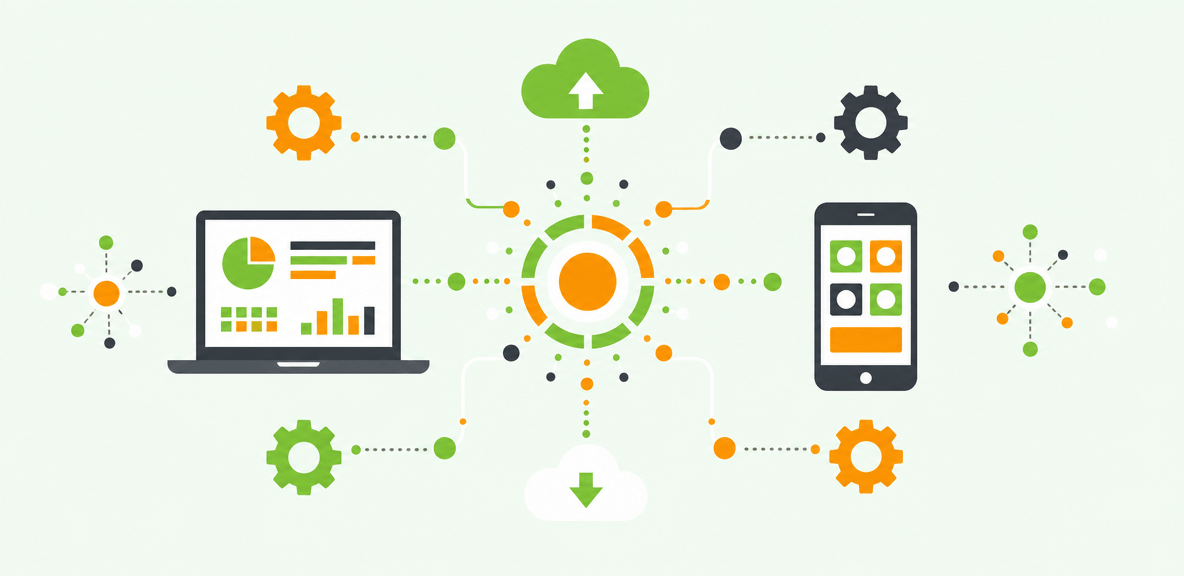
That creates overlap. A finance process may use a workflow platform for approvals, an integration tool for ERP data exchange, an RPA bot for a legacy system, and an AI assistant for document summarization. The result is often functional but fragmented. Handoffs become difficult to manage. Governance gets harder. Measurement becomes inconsistent across platforms.
Why automation projects fail even when the software works
Automation software can work exactly as designed and still fail at the business level.
A common reason is process quality. If you automate a broken process, you usually accelerate the wrong behavior. Another issue is API dependence. Many enterprise workflows still rely on legacy systems, custom interfaces, or human judgment points that APIs do not fully cover. The workflow looks automated until it reaches the part where real work happens.
Cross-application handoffs are another weak point. Employees move between email, CRM, ERP, HCM, and service platforms throughout the day. If the automation cannot follow that path, people bridge the gaps manually.
Then there is the adoption problem. A well-designed automation still depends on employees knowing when to use it, how to complete exceptions, and what to do when the workflow changes. In-workflow support and execution visibility are often the missing layers. Without them, leaders know a tool was deployed but cannot prove that the workflow completed correctly or consistently.
What types of business automation tools exist, and which problems do they solve best?

Buyers searching for business automation tools or top automation software usually find a crowded market with overlapping claims. The more useful approach is to match each category to the operational problem it solves best.
The main categories include workflow automation, business process automation platforms, RPA, low-code process tools, iPaaS, document automation, and AI-powered automation. These are all valid automation software examples. The challenge is knowing where each fits and where each tends to break down in large enterprises.
Workflow automation and business process automation
Workflow automation works well when the process is repeatable, rules are clear, and the main need is routing, approvals, notifications, or status management. Think purchase approvals, standard service requests, or document reviews.
Business process automation goes broader. It often includes routing, approvals, analytics, business rules, and structured process control across multiple teams.
These platforms are effective when the process can be clearly modeled. They tend to struggle when employees constantly move across disconnected systems or when important steps happen in older applications outside the workflow engine.
RPA, UI-level automation, and execution in applications without API coverage
RPA helps when critical work lives in applications that lack modern integration coverage. It can log in, navigate screens, copy values, and complete repetitive actions at the user interface level.
That matters because many enterprise processes still depend on systems built for humans, not for APIs.
The limitation is brittleness. Scripted automation can break when the interface changes, when exceptions become common, or when the process requires more contextual judgment. More resilient UI-native execution approaches are designed to operate where enterprise work actually happens without relying only on fragile scripts. This matters most in large environments where process variation is normal, not exceptional.
AI-powered automation and where it adds value
AI-powered automation adds value in summarization, recommendations, content generation, classification, and exception handling. It can reduce effort at the start of a task and help employees decide what to do next.
But AI capability does not guarantee business performance. AI still needs context. If it cannot see what the employee is looking at, it may require the user to re-explain the situation manually. If it cannot act across application boundaries, the workflow stops at recommendation rather than completion.
This is the current enterprise gap. According to a 2024 Gartner survey of more than 3,000 managers, only 8% of employees use AI in ways that meaningfully improve their work. Gartner research also finds 95% of CIOs expect significant AI value from their investments. The issue is not only model quality. It is whether AI can operate inside real workflows with enough context and accountability to produce outcomes.
Which business process automation examples deliver the fastest enterprise value?
The fastest value usually comes from high-volume, cross-system workflows with clear KPIs. These use cases reduce time, errors, and support burden in measurable ways.
Below are practical business process automation examples that reflect how enterprises actually work.
Finance and procurement workflows
Finance and procurement teams often see fast returns from automation because the workflows are form-heavy, repetitive, and tightly tied to cost and compliance.
Common examples include:
- Invoice processing
- Purchase order creation
- Expense approvals
- Vendor onboarding
- ERP data entry and validation
These processes are often slowed by manual rekeying, missing fields, and approval delays. Automation helps standardize execution and reduce preventable errors. The ROI case is usually visible in cycle time, exception rates, and reduced rework.
HR and employee operations
HR workflows are another strong fit because they affect every employee and often generate avoidable support requests.
Common examples include:
- New hire onboarding
- Benefits enrollment
- Policy acknowledgment
- Internal service requests
- Employee data updates
Automation reduces confusion during critical moments, especially when employees must complete tasks across multiple systems. When combined with digital adoption support inside those systems, organizations can improve time-to-productivity and process consistency without relying only on one-time training.
IT and service management
IT teams often use automation to reduce repetitive support work and improve policy adherence.
Examples include:
- Ticket routing
- Access requests
- Password reset flows
- Software provisioning
- Knowledge guidance inside ITSM platforms
These are good candidates because the volume is high and the steps are often structured. Automation can reduce manual triage while helping employees complete requests correctly the first time. That lowers ticket volume and improves workflow completion.
Sales, service, and customer-facing operations
Revenue and service workflows often cross communication tools, CRM systems, pricing tools, and back-office applications.
Examples include:
- CRM updates
- Quote-to-cash steps
- Case handling
- Follow-up task creation
- Cross-system data sync between email, chat, CRM, and line-of-business tools
These workflows benefit when automation reduces context switching. The goal is not just faster clicks. It is better execution across the systems that support revenue and customer outcomes.
How do you evaluate business automation software for enterprise fit?
Most buyers do not need another generic list of vendors. They need a decision framework.
In enterprise environments, evaluation should focus on process fit, cross-application reach, workflow execution, governance, analytics, scalability, and implementation model. This is especially important if you already own multiple automation products and need to reduce fragmentation rather than add to it.
Core evaluation criteria for business automation software
Start with the process itself. Can the platform support how the workflow actually runs, including exceptions, handoffs, and dependencies across systems?
Then assess:
- Process discovery and mapping
- Integration options and API coverage
- UI-level execution where APIs fall short
- Exception handling
- Auditability and security controls
- Analytics and workflow completion visibility
- Ease of maintenance when applications change
- Usability for business teams and administrators
Ease of use matters, but enterprise buyers also need architecture, governance, and scale. A tool that looks simple in a demo may create major maintenance debt if it cannot adapt to the actual application environment.
Questions to ask vendors before you commit
Ask vendors practical questions that reveal how the platform performs outside a controlled demo:
- How does it handle legacy systems and on-premise environments?
- What happens when the application UI changes?
- How does it manage exception-heavy workflows?
- What governance controls exist for AI-assisted actions?
- Can it prove workflow completion, not just automation triggers?
- What adoption data does it capture at the task level?
- How does it support employees in the flow of work?
- What is required to maintain automations over time?
These questions help separate narrow task automation from platforms that can support enterprise accountability.
Where WalkMe fits in the business automation software landscape
WalkMe fits where enterprises need an execution and accountability layer across multiple applications. The action bar provides screen-level context, cross-application unification, workflow execution, and adoption analytics in the flow of work.
That matters when APIs do not cover the full workflow or when employees move between systems to complete a task. WalkMe acts at the UI level, which helps organizations support and execute workflows where enterprise work actually happens.
It is also complementary to copilots and existing automation investments. If you already use AI assistants, workflow platforms, or integration tools, the challenge is often not capability in isolation. It is completing the workflow across systems and proving it is being adopted. In-app guidance and automation inside the action bar help employees complete workflows correctly, which strengthens digital adoption and measurable software ROI.
What ROI should you expect from business automation software, and what are its limits?
You should expect ROI from automation when the process is sound, the use case is measurable, and adoption is actively supported. You should not expect automation alone to fix broken workflows, poor upstream data, or weak change management.
A credible ROI model usually includes:
- Productivity gains from time saved per task
- Support cost reduction from fewer tickets or escalations
- Onboarding acceleration and faster time-to-productivity
- Compliance improvement through fewer process errors
- Better license utilization in existing software
How to build a credible ROI case
Start with a baseline. Measure task time, error rates, ticket volume, workflow completion rates, and the business metric tied to the workflow. Then compare post-deployment performance over a defined period.
The strongest automation ROI cases rely on task-level evidence, not just vendor estimates or employee surveys. If you cannot see whether users completed the workflow, where they stalled, or what exceptions occurred, your ROI case will remain partial.
Common risks, constraints, and implementation mistakes
Common issues include governance concerns, brittle automations, exception-heavy workflows, unstructured change management, and unclear executive ownership.
Another frequent mistake is choosing a use case that is too broad for a first deployment. Start with high-friction, high-volume workflows where success can be measured clearly. Expand after you can show documented improvement.
A phased rollout plan for sustainable automation
A practical rollout sequence looks like this:
- Document the process as it really runs
- Identify friction points, handoff gaps, and exception paths
- Choose the right automation method for each step
- Launch with in-workflow support so employees can complete tasks correctly
- Measure continuously and refine based on actual workflow data
This is where the market is heading. Business automation software is no longer just about automating individual tasks. It is about combining automation with accountability so leaders can prove what is working, what is breaking, and where to expand next.
If you are evaluating platforms now, the next useful step is not another vendor shortlist. It is a side-by-side framework that maps your top workflows to the automation method they actually require, the systems they touch, and the evidence you will need to prove ROI after deployment.
People Also Ask
-
What is business automation software?Business automation software is technology that reduces manual work, standardizes processes, and helps workflows run more consistently across systems. It can automate approvals, data entry, routing, notifications, and other repetitive tasks.
-
What are the best business automation tools for enterprise teams?The best tools depend on the problem. Workflow platforms are useful for structured approvals and routing. RPA helps with legacy applications and UI-based tasks. iPaaS supports system-to-system data movement. AI assistants help with recommendations and summarization. Large enterprises often need a combination, plus strong digital adoption and measurement.
-
How do I choose business automation software for cross-application workflows?Start by mapping the full workflow, including every system involved, exception path, and handoff. Then evaluate whether the platform can carry context across applications, execute where APIs do not exist, support employees in the flow of work, and provide measurable workflow completion data.
-
What are common business process automation examples?Common examples include invoice processing, purchase order creation, vendor onboarding, employee onboarding, benefits enrollment, ticket routing, access requests, CRM updates, case handling, and quote-to-cash workflows.
-
How do you measure ROI from business automation software?Measure baseline task time, error rates, ticket volume, workflow completion rates, and related business outcomes before deployment. Then compare results after rollout. A strong ROI case includes productivity gains, support cost reduction, onboarding acceleration, compliance improvement, and software utilization.
-
What is the difference between business automation software and RPA?Business automation software is a broad category that includes many approaches to automating work. RPA is one subset focused on automating repetitive actions at the user interface level, especially in systems with limited API coverage. RPA can be useful, but enterprise automation often requires additional workflow logic, governance, analytics, and digital adoption support.