FACT CHECKED
What are business process automation solutions, and why are enterprises re-evaluating them now?

Business process automation solutions are platforms and services that reduce manual work across repeatable workflows, approvals, data movement, and task execution. In practice, they help organizations standardize how work moves from one step to the next, whether that means routing an invoice for approval, provisioning software access, or moving data between systems.
Enterprises are re-evaluating these tools now because the pressure on software ROI is increasing. Leaders want faster cycle times, lower error rates, stronger compliance, and better use of the systems they already pay for. They also need more from automation than isolated task scripts. Most enterprise work spans ERP, CRM, HCM, ITSM, productivity tools, and legacy applications. That complexity exposes the limits of simpler automation approaches.
This is the core tension. Many automation programs stall not because the idea is wrong, but because the process crosses multiple applications, includes exceptions, or depends on human context at the screen level. A workflow may begin in email, move into a ticketing system, require action in an ERP, and end in a custom application with limited API support. On paper, that looks automatable. In production, it often breaks at the boundaries.
That is why automation success is not just about deploying business process automation software. It is about digital adoption, workflow completion, and measurable business outcomes. If employees cannot use the process correctly, if exceptions are handled outside the system, or if leadership cannot prove the workflow is actually completing, the automation program will underperform.
According to a 2024 Gartner survey, the top barriers to AI adoption include lack of training at 30%, change resistance at 30%, poor AI quality at 29%, and no process integration at 26%. While that research addresses AI, the pattern applies to automation more broadly. Process integration and adoption remain structural barriers, not secondary details.
Business process automation vs manual process improvement
Automation works best when you apply it to a process worth standardizing first. If approvals are unclear, ownership is disputed, or policy exceptions dominate the workflow, automation will expose those problems faster, not solve them.
Manual process improvement should come first when the underlying workflow is still unstable. You need to clarify the decision points, remove unnecessary handoffs, and define what a successful outcome looks like. Then automation can reduce effort and improve consistency.
Why traditional automation efforts often underperform
Traditional automation efforts often underperform for four reasons.
First, systems are fragmented. Teams automate one application at a time while the real process spans five. Second, change management is weak. Employees receive training, but not in-workflow support when they need it. Third, process design is poor. Organizations automate policy exceptions and workarounds instead of fixing them. Fourth, visibility is limited. Leaders can see that an automation was deployed, but not whether employees complete the workflow correctly.
The result is familiar. Scripts run, tickets still escalate, and manual intervention returns through side channels like email, chat, and spreadsheets.
How business process automation works across enterprise workflows

At a high level, business process automation follows a clear operating model. You identify a process, map the steps, define business rules, connect the relevant systems, automate execution, and monitor outcomes. The mechanics vary by platform, but the logic stays the same: remove unnecessary manual effort while preserving control and accountability.
Where business process automation tools differ is where they operate.
Some work primarily at the API level, moving data between systems with strong integration support. Others work at the workflow layer, coordinating approvals, routing, and rules across systems. Low-code platforms help teams build forms, logic, and process apps quickly. And some solutions operate at the UI level, which matters when systems lack modern integration coverage or when work must still happen inside the application interface.
AI is changing BPA by improving decision support, summarization, and recommendations. It can help classify requests, draft responses, and surface the next likely action. But execution still depends on process structure, governance, and context. AI can recommend a next step. It still needs a reliable way to act across the systems where work actually happens.
That matters because enterprise workflows rarely stay in one place. A purchasing process may touch Outlook, SAP, Salesforce, and a supplier portal. A new hire workflow may involve a recruiter, HRIS, identity management tools, payroll, and collaboration apps. Cross-application complexity is where many point tools fall short.
BPA vs RPA vs BPM: what is the difference?
Here is the concise distinction:
- BPA automates end-to-end business workflows across people, systems, rules, and approvals.
- RPA automates repetitive task execution, often by mimicking user actions in specific applications.
- BPM manages process design, governance, and optimization over time.
In practice, enterprises often use these together. BPM defines and governs the process. BPA coordinates the workflow. RPA may handle narrow repetitive tasks inside it.
Where business process automation software fits in the stack
Business process automation software fits between process design and workflow execution. For many enterprises, that means a mix of capabilities rather than a single tool category.
You may need workflow design to map approvals and rules. You may need integrations to connect modern applications. You may need UI-native execution where APIs do not exist. You may need analytics to prove completion rates and exception patterns. And you may need in-app guidance so employees can complete the workflow correctly in live environments.
When these are treated as disconnected tools, accountability breaks down. One platform shows the workflow design. Another moves data. A third captures tasks. None show whether the employee actually finished the process.
What processes should you automate first? High-value business process automation examples
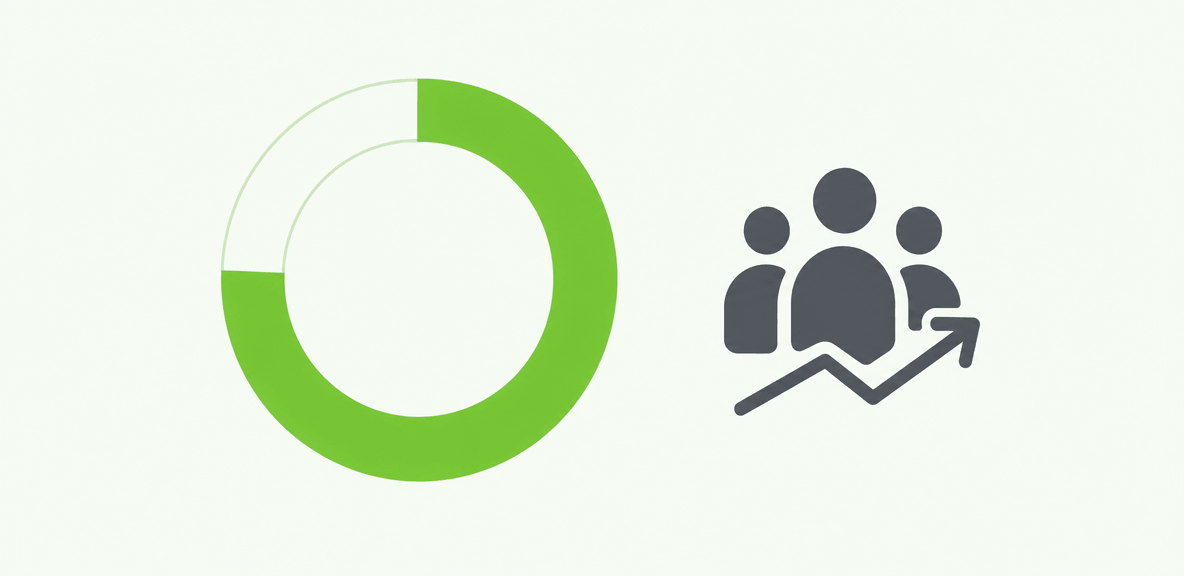
The best automation candidates share a few traits. They are high volume, rules-based, dependent on repeated handoffs, slowed by measurable delays, or exposed to costly error rates. They also matter to a business owner who can define success clearly.
In most enterprises, the strongest first candidates sit inside finance, HR, IT, procurement, or operations. These functions usually have clearer baselines for cycle time, effort, compliance exposure, and support burden. That makes the ROI case easier to build.
The best first use cases are not always the largest processes. They are often the ones where automation can reduce friction without requiring major policy redesign.
Finance and procurement workflows
Invoice approvals, purchase orders, expense review, vendor onboarding, and exception routing are strong candidates for automation. These workflows involve repeatable decision points, visible delays, and compliance requirements.
A well-structured automation program can shorten approval times, reduce rework, and make exception handling more consistent. It can also improve audit readiness by documenting who approved what and when.
HR and employee lifecycle workflows
Onboarding, role changes, benefits processes, policy acknowledgments, and offboarding are common BPA use cases. These workflows affect time-to-productivity, policy compliance, and employee experience.
They also expose digital adoption issues quickly. If employees and managers cannot complete the workflow correctly across HR, payroll, identity, and collaboration systems, delays compound fast.
IT and service operations workflows
Access requests, ticket routing, incident escalation, software provisioning, and knowledge capture are practical automation targets in IT and service operations.
These processes often have clear business rules and measurable service-level expectations. Automation can reduce manual triage, improve consistency, and lower support burden, especially when requests can be routed and resolved with fewer handoffs.
Cross-application workflows that expose automation gaps
The hardest and often most valuable workflows are the ones that expose system boundaries. A process starts in email or chat, moves into a service management or ERP system, and ends in a legacy or custom application with limited API support.
This is where automation strategies often break down. The workflow exists, but no single system owns it end to end. That gap is why enterprises increasingly look for an execution and accountability layer that can operate across applications, including at the UI level.
How to evaluate business process automation solutions and business process automation companies
A practical evaluation framework starts with the workflow environment, not the vendor demo. Before comparing business process automation companies, define what the process actually requires. Is it mostly approvals? Data movement? Task execution across old systems? Exception handling? Employee guidance during live workflows?
From there, evaluate seven areas: process fit, integration model, governance, analytics, scalability, implementation effort, and total cost of ownership.
The most important question is not whether a platform can automate a task in a controlled demo. It is whether it can show adoption, friction points, completion rates, and business impact across real applications and real users.
For enterprises with fragmented application environments, this is where an execution and accountability layer becomes important. If the workflow depends on systems without complete API coverage, the automation strategy needs a way to complete work in the user environment and prove the process is working.
Capabilities to look for in business process automation tools
Look for capabilities such as:
- Workflow modeling
- Business rules and approvals
- Integration support
- Exception handling
- Audit trails
- Analytics and reporting
- Role-based controls
- Support for both modern and legacy applications
Also look closely at how the platform handles cross-application execution. Many tools manage the process map well but struggle when the work itself must happen inside multiple application interfaces.
Questions to ask before choosing a vendor
Before choosing a vendor, ask practical questions:
- How quickly can this be deployed for a real workflow?
- What maintenance is required after application changes?
- How does the governance model work for approvals, exceptions, and access?
- Can the solution support cross-application workflows, including legacy systems?
- How is ROI measured in production?
- Can it show workflow completion, abandonment points, and exception trends?
- What change management and in-workflow support are required for adoption?
These questions usually reveal more than feature lists do.
Where WalkMe fits in a BPA strategy
WalkMe fits as an execution and accountability layer within a broader BPA strategy. The action bar helps enterprises complete workflows across applications, act at the UI level where APIs do not exist, and prove whether automation is working through adoption analytics.
That is especially useful when the process crosses enterprise systems that no single automation tool can fully reach. WalkMe can support workflow execution in the user environment while giving teams visibility into friction points, completion rates, and where employees abandon tasks. For organizations trying to connect automation with digital adoption and measurable outcomes, that layer matters.
What results should you realistically expect from business process automation solutions?
Business process automation can reduce cycle time, improve consistency, lower support burden, and strengthen compliance. It can also improve software ROI by increasing process completion and reducing avoidable manual work.
But it will not fix broken policy, unclear ownership, or poor source data. Outcomes vary based on process maturity, user adoption, exception volume, and the quality of implementation and change management.
Set expectations around measurable indicators. Track workflow completion, exception rates, time saved per task, employee effort reduction, and license utilization. Those metrics are more credible than broad promises about enterprise productivity.
Automation is also not a one-time deployment. It is a continuous optimization program. Workflows change. Systems update. Exceptions appear. Governance requirements evolve.
Common limitations and failure modes
Common failure modes include brittle automations, ungoverned AI use, weak handoffs between systems, over-automation of edge cases, and lack of visibility into where employees abandon workflows.
These issues often share one cause: teams automated the happy path but did not plan for how work actually happens in production.
How to build a stronger ROI case
Build the ROI case before rollout. Baseline manual effort, support costs, error rates, cycle times, and exception volume. Document where employees leave the formal process and rely on side channels.
Then measure post-deployment gains against that baseline. This gives finance, operations, and IT a more credible way to assess value than estimating benefits after the fact.
A practical roadmap to implement business process automation software successfully
A practical roadmap starts small and stays disciplined. Identify one process, document the current state, remove unnecessary complexity, choose the right automation method, pilot it, measure the results, and expand from there.
Stakeholder alignment matters early. IT, operations, security, finance, and process owners should agree on workflow scope, governance requirements, success metrics, and maintenance responsibilities before scaling.
Change management matters just as much. When automation changes how employees complete familiar tasks, adoption can stall if support is missing. In-workflow guidance helps users complete the process correctly in the moment, which reduces rework and increases consistency.
The strongest automation strategies combine workflow design, governed execution, and measurable accountability across the enterprise application stack. That is also where the future is heading. As AI improves decision support, the differentiator will be whether your organization can connect recommendations to governed execution across real systems, not isolated demos.
Start with one workflow, not an enterprise-wide promise
Start with a contained but meaningful process first. Choose a workflow with visible cost, manageable complexity, and a clear owner. Prove governance, analytics, and maintenance practices there before expanding.
That reduces risk and produces a usable template for future automation decisions.
Measure, optimize, and scale
Ongoing monitoring reveals friction points, exceptions, and missed handoffs that should guide the next phase of investment. That is how automation improves over time. You do not just deploy it. You manage it as part of the operating model.
If you are evaluating business process automation solutions now, the next step is to compare your top candidate workflows against the automation methods they actually require: API integration, workflow coordination, UI-native execution, analytics, and in-app support. That comparison will tell you more than any product demo.
People Also Ask
-
What are business process automation solutions?Business process automation solutions are platforms and services that reduce manual work across repeatable business workflows. They help automate approvals, data movement, task execution, routing, and monitoring across systems and teams.
-
What is the difference between BPA, RPA, and BPM?BPA automates end-to-end business workflows. RPA automates repetitive tasks, often inside specific applications. BPM focuses on process design, governance, and optimization. Enterprises often use all three together, depending on the workflow.
-
Which business processes should a company automate first?Start with processes that are high volume, rules-based, delayed by repeated handoffs, or exposed to costly errors. Good first candidates usually come from finance, procurement, HR, IT, or operations because the ROI baseline is easier to measure.
-
How do you choose the best business process automation software for an enterprise?Start with the workflow environment, not the vendor. Evaluate process fit, integration model, governance, analytics, scalability, implementation effort, and total cost of ownership. Also assess whether the solution can support cross-application workflows and prove completion in production.
-
What are realistic ROI expectations for business process automation solutions?Realistic outcomes include faster cycle times, fewer manual errors, lower support burden, improved compliance, and better software utilization. Results vary based on process maturity, adoption, exception volume, and implementation quality.
-
Can business process automation tools work with legacy systems and applications without APIs?Yes, some can. When API coverage is limited, enterprises may need UI-native execution to complete workflows in legacy or custom applications. That is often important for cross-application processes where modern integrations alone do not cover the full workflow.