FACT CHECKED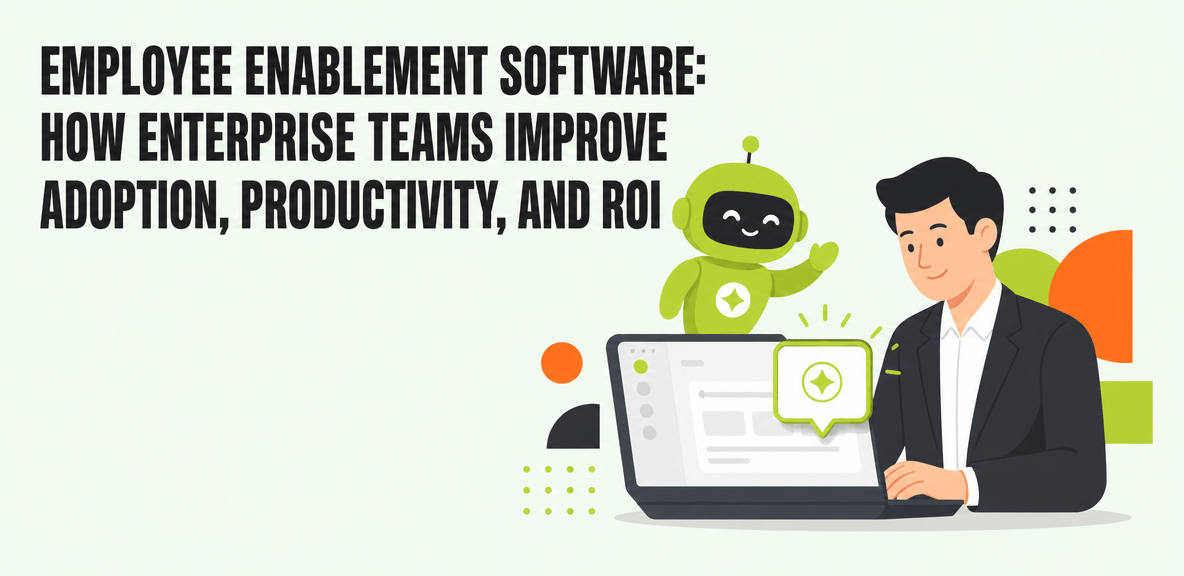
What is employee enablement software, and why does it matter now?

Employee enablement software helps people complete work correctly inside the tools they already use. It is not only about teaching employees what a system does in theory. It is about helping them act inside live workflows, at the moment they need to complete a task.
That distinction matters more now because enterprise work no longer lives in one application. A single process might move through HR systems, IT service tools, finance platforms, CRM, ERP, email, and collaboration apps in the same session. When support is disconnected from the work itself, employees slow down, make mistakes, open tickets, or fall back to workarounds.
The cost of poor enablement is rarely isolated to training budgets. It shows up in slower onboarding, inconsistent process execution, higher support volume, underused licenses, and weak software ROI. Enterprises can buy the platform, complete the rollout, and still fail to get the usage and outcomes they expected.
That is why the category is moving beyond one-time training and static documentation. Enterprise buyers are looking for in-workflow guidance, workflow execution, and measurable adoption. The question is no longer whether employees were trained. It is whether they can complete work correctly, consistently, and at scale.
Employee enablement vs. employee engagement: what is the difference?
Employee engagement software and employee enablement software solve different problems.
Employee engagement software typically measures sentiment, recognition, feedback, and culture. That is why searches around employee engagement software UK, employee engagement vendors, and the business case for employee engagement often focus on surveys, retention, pulse checks, and manager effectiveness.
Employee enablement software focuses on operational performance. It helps employees complete tasks, adopt workflows, and use software correctly. If engagement software tells you how employees feel, enablement software tells you whether they can actually complete the process in Workday, Salesforce, ServiceNow, SAP, or Microsoft 365.
Both categories can matter. Engagement data can reveal morale or change fatigue. But it does not replace contextual support inside the workflow itself. A team can report high engagement and still struggle with low adoption of a new ERP process or poor use of an AI tool.
Why employee enablement is becoming a board-level issue
Employee enablement is no longer a narrow HR or training topic. It is increasingly tied to software ROI, workforce productivity, and change management.
Boards and executive teams are asking harder questions about major technology investments. They want proof that deployed systems are being used and that licensed tools are driving outcomes. That applies to ERP, HCM, CRM, ITSM, and now AI.
This is where many enterprises run into a credibility gap. The software is purchased. The licenses are active. But real usage, workflow completion, and business impact remain unclear. Employee enablement matters because it sits between deployment and value realization.
Why employee enablement initiatives fail without the right software
Most enablement efforts fail for structural reasons, not because employees are unwilling to change.
Training decays quickly after rollout. Help content lives in separate portals. Application stacks are fragmented. Teams have limited visibility into where employees get stuck or abandon tasks. The support model assumes people will remember what they learned earlier and know where to find help later.
That assumption does not hold in enterprise environments. The real problem is the mismatch between complex workflows and the support employees receive at the moment of work.
This challenge is even more visible in AI adoption. According to a 2024 Gartner survey, the top barriers to AI adoption include lack of training at 30%, change resistance at 30%, poor AI quality at 29%, and no process integration at 26%. In other words, adoption does not break down for one reason. It breaks down because employees need better support, better workflow design, and better integration into daily work.
The hidden costs of low software adoption
Low software adoption creates costs that spread across the business.
Help desks field repeated requests for tasks that should be routine. Managers spend time correcting preventable errors. Compliance-heavy processes drift off standard. New hires take longer to reach full productivity. Expensive licenses go underused.
Those costs compound in large deployments. A new ERP system, HCM rollout, or AI program can look successful at launch while still producing rework, ticket spikes, and workflow abandonment behind the scenes.
This is especially important in AI programs. According to a 2024 Gartner survey of more than 3,000 managers, only 8% of employees use AI frequently in ways that meaningfully improve their work, even as Gartner research finds 95% of CIOs expect significant value from AI investments. That gap is not just an AI issue. It is an enablement and accountability issue.
Why LMS, knowledge bases, and documentation are not enough
LMS platforms, knowledge bases, and documentation still matter. They are useful for pre-workflow learning, policy reference, and structured training.
But they are not enough at the moment an employee needs to act.
Documentation usually requires the employee to stop, search, interpret, and return to the workflow. Classroom training assumes the lesson will still be remembered when the real task appears days or weeks later. Knowledge bases explain what should happen, but they do not guide action inside the live application.
Employee enablement software fills that gap. It supports the employee inside the workflow, where memory is weak, complexity is high, and mistakes have consequences.
What capabilities to look for in employee enablement software
Enterprise buyers need more than a feature checklist. They need a framework for evaluating whether a platform reduces friction inside workflows, works across applications, and produces measurable evidence of adoption and performance.
The strongest platforms address foundational enablement needs while also supporting newer requirements around AI adoption, workflow execution, and governance.
In-workflow guidance and self-serve support
Start with the basics. Employee enablement software should provide contextual guidance inside the application where work happens.
That can include embedded help, smart tips, guided prompts, search, and self-serve support that appears in context. The goal is to reduce dependence on memory, separate documentation portals, and one-time classroom training.
Good guidance shortens the distance between confusion and action. Instead of forcing the user to leave the workflow to find help, the platform brings support to the point of need.
Cross-application support for real enterprise work
Employees rarely stay in one system. A process might begin in email, continue in a CRM or ITSM tool, and finish in ERP or HCM.
That is why cross-application unification matters. If an enablement platform only works well inside one product, it will struggle to support real enterprise workflows.
For large enterprises, this is a major differentiator. The platform should carry context across ERP, CRM, ITSM, HCM, email, and collaboration tools so employees get one consistent support layer rather than a patchwork of disconnected experiences.
Workflow execution, automation, and AI support
Modern employee enablement software increasingly does more than display instructions. It helps users complete actions, trigger processes, and support AI adoption inside workflows.
This is where screen-level context and workflow execution become relevant. In more advanced platforms, the system can understand what the employee is seeing, surface the next best action, and support task completion directly in the application.
That matters for AI adoption as well. Many enterprises have deployed copilots but still struggle to move from AI access to AI performance. Public earnings data shows Microsoft reported 15 million paid Copilot seats against 450 million commercial users in Q2 FY26, or 3.3% penetration. Access alone does not create usage. Employees need contextual support that helps them use AI correctly inside real work.
Analytics, governance, and proof of ROI
Analytics are not optional. Enterprise buyers need dashboards that show adoption rates, workflow completion, friction points, search gaps, and task-level performance.
This is what turns enablement from a support layer into an accountability layer. CIOs need evidence for software ROI. HR leaders need proof that onboarding and self-service processes are improving. Operations leaders need visibility into where execution breaks down. CFOs need more than anecdotal feedback from a pilot group.
Governance matters too, especially when enablement overlaps with workflow execution and AI-assisted work. Buyers should understand how actions are tracked, how controls are applied, and what evidence the platform can provide when questions arise.
How to build a business case for employee enablement software
A credible business case ties enablement to outcomes the business already measures.
That usually includes software ROI, faster onboarding, fewer support tickets, better process consistency, and stronger license utilization. The most persuasive cases start with baseline metrics and then measure post-deployment performance against those same workflows.
This is also where enablement differs from the business case for employee engagement. Engagement data can support the story by showing morale, confidence, or change sentiment. But funding decisions usually depend on operational metrics such as completion rates, ticket costs, time-to-productivity, and workflow error rates.
A phased rollout is often the strongest approach. Start with high-friction workflows where adoption problems are already visible and measurable. Build proof there before expanding enterprise-wide.
Metrics that matter to CIOs, HR leaders, and operations teams
Different stakeholders evaluate value differently, so your measurement model should be shared across functions.
Useful metrics include:
- Time-to-productivity for new hires or newly trained teams
- Task completion rate
- Support ticket reduction
- Policy adherence and process accuracy
- License utilization
- Workflow abandonment points
- Search behavior and unresolved support gaps
- AI adoption and AI-assisted workflow completion
A CIO may focus on software ROI and adoption across systems. HR may care more about onboarding speed and employee self-service success. Operations may prioritize error reduction and throughput. A shared model helps secure funding because it links one platform to multiple business outcomes.
Where employee enablement software delivers the clearest ROI first
The clearest early wins usually come from repetitive, high-volume, error-prone workflows.
That often includes onboarding, ERP and CRM rollouts, HR self-service, IT service workflows, compliance-heavy processes, and AI adoption programs. These areas create visible friction and generate measurable costs when employees struggle.
If the workflow is used often, has a clear completion path, and currently produces tickets, delays, or rework, it is a strong candidate for an initial deployment.
What employee enablement software cannot fix on its own
Employee enablement software has limits, and buyers should be clear about them.
It cannot repair a broken process. It cannot solve poor system configuration. It cannot replace leadership alignment, governance, or process ownership. And in AI contexts, it cannot compensate for low-quality underlying model outputs.
Enablement works best when paired with change management, stakeholder sponsorship, and clear accountability for the workflow itself. That does not reduce its value. It clarifies where the platform fits in the broader transformation stack.
Common implementation mistakes to avoid
Several mistakes show up repeatedly.
One is treating enablement as a content project only. Another is ignoring analytics after launch. Many teams also fail to assign clear ownership or define success metrics before rollout.
Global organizations need to think about localization, accessibility, and reinforcement over time. Adoption does not scale from a one-time launch alone.
How to evaluate vendors without getting distracted by feature lists
Feature lists can be useful, but they should not drive the decision.
Test platforms against real workflows, real applications, and real governance requirements. Ask how much deployment effort is required. Review the maintenance model when applications change. Examine the depth of analytics. Confirm the platform can operate at enterprise scale. Assess how it supports AI adoption. Most importantly, determine whether it helps users act inside the workflow rather than only read instructions about it.
How modern enterprise platforms approach employee enablement software
Enterprise platforms have evolved beyond basic guidance tools. Increasingly, they act as broader execution and accountability layers across applications.
That shift matters because enterprises now need to improve adoption across ERP, CRM, HCM, ITSM, and AI tools at the same time. Guidance alone may not be enough. The platform also needs to support workflow execution, cross-application continuity, and measurable proof of performance.
WalkMe is one example of this broader approach. Its action bar provides a unified in-app experience for guidance, contextual support, workflow execution, and adoption analytics across enterprise applications. For organizations managing complex software environments, that model aligns employee enablement with digital adoption and AI accountability rather than treating support as a separate content layer.
The practical takeaway is straightforward. Evaluate platforms based on your highest-friction workflows and the proof you need to show internally. The right category fit depends less on the number of features in a demo and more on whether the platform can reduce friction, support action, and measure outcomes in the systems your employees actually use.
When WalkMe fits the employee enablement software category
WalkMe fits this category when the challenge is not communication or sentiment tracking, but helping employees complete work correctly across complex enterprise applications.
The action bar serves as the unified employee experience for guidance, contextual support, workflow execution, and adoption measurement. That is especially relevant when work spans multiple systems and the organization needs one consistent layer rather than isolated point solutions.
Why employee enablement now overlaps with AI adoption
Employee enablement increasingly includes helping people use AI effectively inside real workflows, not just assigning them a copilot license.
That is where AI accountability becomes central. Enterprises need visibility into whether AI-assisted work is actually being completed, where employees abandon workflows, and what friction prevents adoption. In practice, employee enablement software is becoming part of the infrastructure that turns AI potential into measurable performance.
The next step is to compare platforms against one high-friction workflow in your environment. Map where employees get stuck today, define the metrics that matter to your stakeholders, and use that workflow as the test case for evaluating guidance, workflow execution, cross-application support, and proof of ROI.
People Also Ask
-
What is employee enablement software?Employee enablement software helps employees complete tasks correctly inside the applications they use for work. It supports adoption, reduces friction, and improves execution through in-workflow guidance, support, analytics, and in some platforms, workflow execution capabilities.
-
How is employee enablement software different from employee engagement software?Employee engagement software focuses on sentiment, feedback, recognition, and culture. Employee enablement software focuses on helping people complete work, adopt workflows, and use software correctly. One measures how employees feel. The other helps them perform tasks successfully.
-
What features should enterprise buyers look for in employee enablement software?Enterprise buyers should look for in-workflow guidance, self-serve support, cross-application unification, workflow execution support, analytics, governance, and measurable proof of adoption and ROI. The best choice depends on whether the platform works across the real systems and workflows employees use every day.
-
How do you measure ROI from employee enablement software?Measure ROI through baseline and post-deployment comparisons. Common metrics include time-to-productivity, support ticket reduction, task completion rate, workflow accuracy, license utilization, and workflow abandonment. In AI programs, AI adoption and AI-assisted task completion also matter.
-
Can employee enablement software improve adoption of AI tools and copilots?Yes, especially when the platform supports in-workflow guidance, screen-level context, and adoption analytics. Many organizations discover that AI access alone does not create meaningful usage. Employee enablement software can help employees use AI within real workflows and provide evidence of whether that usage is producing outcomes.
-
What are the limitations of employee enablement software?It cannot fix broken processes, weak governance, poor software configuration, or low-quality underlying AI outputs. It works best when paired with clear ownership, change management, stakeholder sponsorship, and defined success metrics.