FACT CHECKED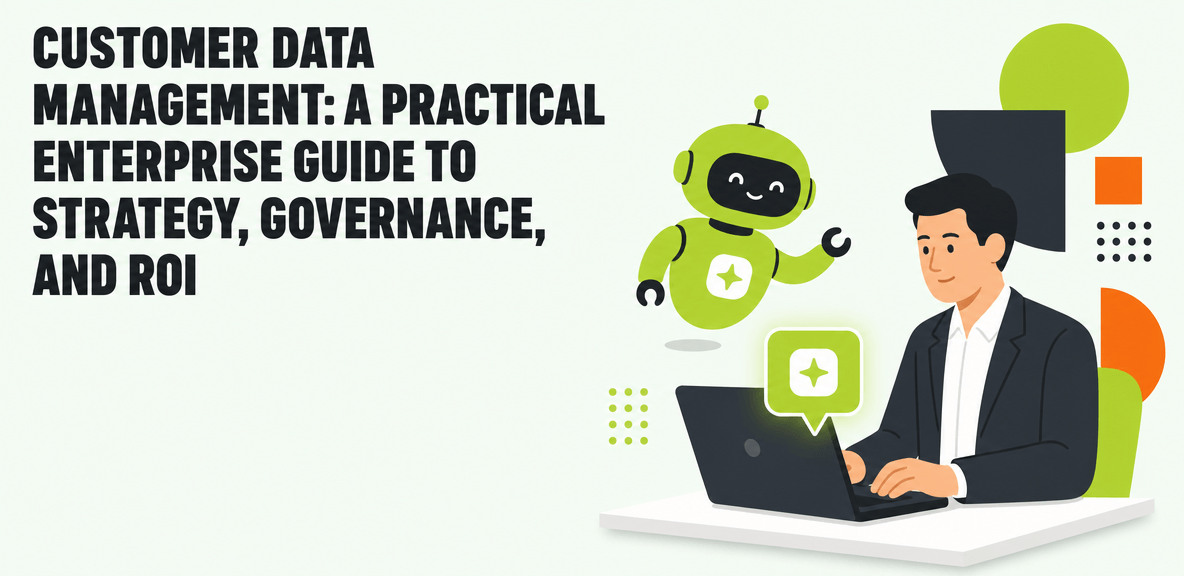
What is customer data management and why does it matter now?

Customer data management is the discipline of collecting, organizing, governing, and activating customer data across enterprise systems. It includes the policies, processes, roles, and technologies used to keep customer information accurate, usable, secure, and relevant in daily work.
That definition matters because many enterprises still treat customer data management as a storage problem. It is not. Storing customer records in a CRM, ERP, support platform, or data warehouse does not mean the data is consistent, trusted, or useful across the business.
A simple way to frame it is this: customer data management is how you turn scattered customer information into a reliable operational asset. It supports cleaner analytics, better service, lower workflow friction, and more dependable automation and AI outputs.
The urgency has increased for three reasons.
First, most enterprises operate across fragmented application stacks. Sales, service, finance, commerce, and marketing teams often update customer records in different systems with different rules. Second, privacy expectations and compliance requirements are higher than they were even a few years ago. Third, software ROI is under tighter scrutiny. If your customer data is incomplete or inconsistent, your analytics, automation, and AI results will be hard to trust.
For featured-snippet purposes, here is the concise distinction: customer data management is not just storing customer records. It is the ongoing enterprise practice of keeping customer data accurate, governed, connected, and usable across workflows and systems.
Customer data management vs. CRM, CDP, and master data management
These terms often get conflated, but they solve different problems.
CRM systems manage customer-facing activities such as pipeline, accounts, contacts, and service interactions. A CRM is an application. Customer data management is the broader operating discipline that keeps data inside and beyond the CRM usable.
Customer data platforms (CDPs) are designed to unify customer data for audience building, segmentation, and activation, often in marketing contexts. They can be part of a customer data management stack, but they are not the whole program.
Master data management (MDM) focuses on creating authoritative records for core business entities such as customers, products, or suppliers. Customer master data management is a subset of the larger customer data management effort.
In practice, customer data management sits above these systems and disciplines. It defines how customer data should be collected, maintained, governed, and used across them.
What types of customer data should enterprises manage?
Most programs need to manage several data categories:
- Identity data such as names, account IDs, contacts, and firmographic details
- Transaction data such as purchases, invoices, renewals, and order history
- Service data such as cases, tickets, claims, and support interactions
- Behavioral data such as website activity, product usage, and engagement signals
- Consent data such as opt-ins, legal basis, and communication permissions
- Preference data such as channel choices, language, and account settings
The key principle is restraint. Collect data that supports a defined business use case. Overcollection creates governance overhead, storage costs, and compliance exposure without improving decisions.
Why customer data management initiatives struggle in real enterprises

Customer data management programs rarely fail because the enterprise bought the wrong tool alone. More often, they struggle because systems are siloed, data definitions vary by team, ownership is unclear, and frontline processes break down during execution.
That is why the same patterns keep appearing. Duplicate records accumulate. Required fields go blank. One system treats a customer as a billing entity while another treats it as a service relationship. Employees create manual workarounds because the official process is too slow or too confusing.
These problems are not cosmetic. They affect operating results.
Bad customer data slows service resolution because agents cannot trust what they see. It weakens reporting because metrics depend on inconsistent definitions. It increases compliance risk when consent and retention rules are applied unevenly. It also degrades automation and AI performance because those systems depend on clean context and stable process inputs.
Frontline execution is often the missing piece. Even the strongest customer data management software fails if employees cannot follow capture, update, and validation processes consistently across the applications they use every day. This is where digital adoption becomes material. If teams do not know how to enter, verify, and use data correctly in workflow, quality deteriorates no matter how sound the architecture looks on paper.
The hidden cost of bad customer data
The costs show up in places many teams do not track together:
- Wasted software licenses tied to bad or duplicate records
- Rework to correct account hierarchies, case ownership, or billing data
- Support inefficiency when agents search across systems for missing context
- Failed segmentation from incomplete or conflicting profile data
- Unreliable forecasting when records do not reflect real account activity
Individually, each issue looks manageable. Combined, they erode software ROI and make customer-facing workflows harder than they need to be.
Why AI raises the stakes for customer data management
AI makes weak data management more visible. Models can summarize, recommend, and generate outputs quickly, but they still depend on context and clean inputs. If customer records are fragmented or low quality, AI recommendations will be less reliable, workflows will stall, and accountability will be weak.
This matters at the enterprise level because AI performance is rarely judged by the quality of a single answer. It is judged by whether work completes correctly. When customer context is split across systems, AI-assisted service, sales, or renewal workflows often break at the handoff point.
How customer data management works: the core capabilities every program needs

Customer data management works as a lifecycle. Data is collected, integrated, standardized, governed, activated, measured, and maintained over time. It is not a one-time cleanup project.
That means customer data management tools need to support both technical controls and daily execution across CRM, ERP, service, commerce, and custom applications. The right customer data management software helps enforce standards. It should also make correct behavior easier for employees in real workflows.
Data collection, integration, and unification
Most enterprises pull customer data from CRM, ERP, support, commerce, marketing automation, billing, and legacy systems. The goal is not to force every system into one database. The goal is to maintain a consistent record structure and reliable relationships between records.
This usually requires common identifiers, field mapping, update rules, and integration logic that reflects how the business actually operates. Without those controls, every downstream workflow inherits inconsistency.
Data quality, deduplication, and record stewardship
Quality management is the control layer that keeps records usable over time. Core practices include:
- Standardization of formats, naming, and required fields
- Validation at entry and update points
- Enrichment where missing context affects decisions
- Duplicate detection and resolution workflows
- Record stewardship ownership for ongoing exceptions
Stewardship matters because automated rules cannot resolve every conflict. Some issues require human review, policy judgment, and cross-team coordination.
Governance, privacy, and access control
Governance defines who can collect, change, access, and retain customer data. In mature programs, that includes:
- Policy definition by data domain
- Role-based access and approval paths
- Consent management rules
- Retention and deletion standards
- Auditability for key record changes
- Compliance controls tied to regulatory obligations
Governance should be practical, not abstract. If policies cannot be followed inside the applications where work happens, they will not hold.
Activation, analytics, and workflow execution
Governed data becomes valuable when it improves decisions and execution. That includes sales handoffs, service interactions, onboarding, renewals, account planning, and AI-assisted decision support.
This is also where many customer data management software evaluations fall short. They focus heavily on integration and storage, but not enough on workflow execution. If employees cannot find the right record, complete required updates, or follow approved steps across systems, data quality decays again.
Analytics should therefore include both data health and workflow performance. You need to know not only whether profiles are complete, but also where record creation, update, and approval processes are breaking down.
How to build a customer data management strategy that delivers measurable ROI
A workable strategy starts with business outcomes, not architecture diagrams. Pick the customer-facing or revenue-critical workflows where bad data creates the most friction. Then define ownership, governance, and tooling around those workflows.
For most enterprises, useful metrics include:
- Duplicate rate
- Profile completeness
- Task completion rate
- Case resolution time
- License utilization
- Compliance exceptions
- Time spent on rework
- Forecast accuracy in priority processes
Change management deserves more attention here than it usually gets. Research from Gartner shows organizations that invest in change management alongside AI see stronger revenue growth impact than those that do not. The principle applies to customer data management as well. If multiple teams update customer records across different applications, in-workflow guidance and reinforcement often determine whether the process holds.
A phased implementation plan for enterprise teams
A practical rollout usually follows five phases:
- **Assessment** Identify priority workflows, source systems, ownership gaps, and data quality issues.
- **Taxonomy and governance design** Define record standards, data definitions, stewardship roles, and policy controls.
- **Pilot workflow rollout** Start with a high-friction process such as account creation, service case handling, or renewal management.
- **Measurement** Track both data quality metrics and workflow adoption metrics. Find where employees abandon or bypass the process.
- **Scale across business units** Expand only after the pilot shows measurable gains in data reliability and workflow consistency.
What to evaluate in customer data management software
Selection criteria should reflect operating needs, not feature volume alone. Evaluate:
- Integration coverage across core systems
- Governance and privacy controls
- Record matching and deduplication capabilities
- Usability for technical and business users
- Analytics for data quality and process performance
- AI readiness, including context reliability
- Workflow compatibility across the application stack
- Support for digital adoption and process reinforcement
Free or low-cost tools can work for narrow experiments, especially when the scope is limited to a single dataset or team. They become less suitable when enterprises need stronger governance, auditability, scale, and cross-system process control.
Where WalkMe fits in customer data management execution
WalkMe fits as the execution and accountability layer for customer data management workflows. It helps employees capture, update, and use customer data correctly across enterprise applications by providing in-workflow guidance, automation, and measurement where work actually happens.
That matters when data quality problems are less about missing systems and more about inconsistent execution. If account teams, service agents, or operations staff are handling customer data across multiple applications, WalkMe can help standardize process behavior, reduce friction, and surface where workflows break down. It also gives leaders visibility into adoption patterns and friction points, which is often missing from customer data programs.
Realistic expectations: what customer data management can and cannot solve
Customer data management can improve data reliability, workflow performance, and decision quality. It cannot fix broken business processes by itself. It also cannot replace clear governance decisions about ownership, policy, and acceptable data use.
Time to value depends on system sprawl, record complexity, and process discipline. Most enterprises should expect phased gains, not instant transformation. Early wins often appear in one or two priority workflows before they spread across the organization.
There are also practical limits. Legacy system constraints may restrict integration depth. Weak executive alignment can stall ownership decisions. Overcollection of low-value data can overwhelm stewardship capacity. And if teams measure success only by system deployment, they may miss whether business outcomes actually improved.
One clarification is worth making for search overlap: customer data management is distinct from clinical data management, which serves a different regulatory and operational context in healthcare and life sciences.
Common mistakes to avoid
Common mistakes include:
- Trying to unify every data source at once
- Ignoring frontline workflows where data gets created and changed
- Skipping stewardship in favor of pure automation
- Applying governance rules that employees cannot execute in practice
- Measuring success by implementation milestones instead of business outcomes
What success looks like after 6 to 12 months
A realistic 6-to-12-month outcome looks like this:
- Cleaner records in priority systems
- Fewer duplicate profiles
- Stronger consistency in account and service workflows
- Better visibility into adoption and data quality trends
- Lower rework in selected teams
- More trustworthy analytics in high-value use cases
That is the right standard. Customer data management should produce evidence of better execution, not just a claim that the platform is live.
Customer data management is now a decision about operating discipline as much as technology. If you are evaluating your next step, compare your current approach against a simple framework: which customer workflows matter most, who owns the data in each one, how quality is enforced at the point of work, and what evidence you have that the process is being followed. That comparison will tell you whether you need another tool, a tighter governance model, or stronger adoption support across the stack.
People Also Ask
-
What is customer data management?Customer data management is the enterprise discipline of collecting, organizing, governing, and using customer data across systems and workflows. It focuses on data quality, consistency, privacy, access control, and operational use, not just record storage.
-
What is the difference between customer data management and CRM?A CRM is an application used to manage sales, account, and service activities. Customer data management is the broader set of processes, policies, and technologies that keep customer information accurate, governed, and usable across CRM, ERP, support, marketing, and other systems.
-
How do you measure ROI from customer data management?Measure ROI by linking data improvements to business outcomes. Common metrics include duplicate rate, profile completeness, case resolution time, task completion, rework reduction, license utilization, compliance exceptions, and forecasting reliability in priority workflows. The strongest programs track both data quality and workflow adoption so leaders can see whether better records are translating into better execution.