FACT CHECKED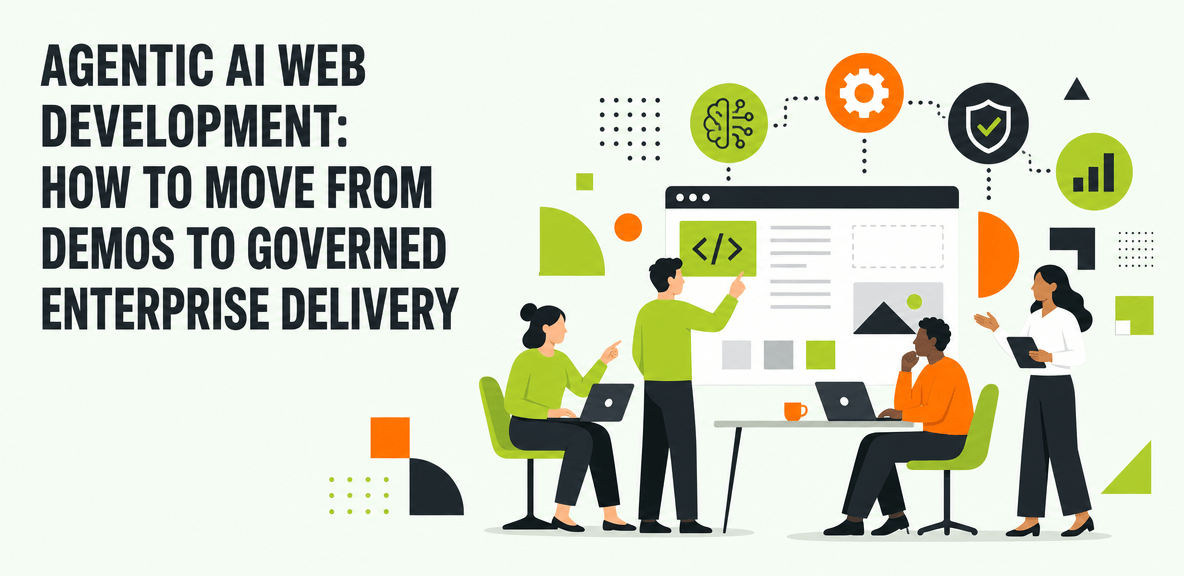
Why agentic AI web development has become an enterprise priority
AI budgets are growing faster than most organizations can justify them. That tension is now showing up inside software delivery teams. Product leaders want faster release cycles. Engineering leaders want less repetitive work. IT and operations leaders want more output without adding process risk. But when executives ask what the AI investment has changed in practice, many teams still struggle to show clear evidence.
That is why interest in agentic AI web development is accelerating. Enterprises are moving beyond simple code generation and asking whether AI can help complete real web delivery work across planning, building, testing, publishing, and support. The appeal is obvious. Web teams work across fast-moving tools, short release windows, and high volumes of repetitive coordination. Those are exactly the conditions where agent-driven workflows look promising.

The challenge is not that the models are weak. It is that enterprise web delivery is harder than a demo environment. According to a 2024 Gartner survey of more than 3,000 managers, only 8% of employees use AI frequently in ways that meaningfully improve their work. Gartner research also finds 95% of CIOs expect significant AI value. That gap points to an AI adoption problem, not a lack of AI capability.
For web development teams, the issue becomes execution. Shipping a production web experience requires approvals, testing, content review, compliance checks, environment controls, and measurable outcomes. A polished demo can generate code. Enterprise delivery has to prove that the work was completed correctly, under policy, and with visible business impact.
What enterprise leaders are actually asking
Enterprise leaders are not asking whether AI can produce code snippets. They are asking harder questions:
- Can agentic AI reduce delivery time without increasing release risk?
- Can it improve developer productivity by removing coordination work, not just writing code faster?
- Can content and QA teams use it without creating governance issues?
- Can we prove the AI investment is working at the workflow level?
Those questions matter because AI spend is now tied to board expectations. If a web team cannot show cycle time reduction, rework reduction, or better release quality, the AI program starts to look experimental rather than strategic.
Why web development is a high-value test case for agentic AI
Web development is a strong test case because it crosses so many functions. A single release may involve backlog planning, design review, code changes, CMS updates, QA validation, ticket updates, deployment steps, and post-release documentation. That creates many bounded workflows where AI can assist or act, especially when the work is repetitive and rule-based.
It also exposes where AI falls short. Web delivery rarely happens in one tool. It moves across browser-based systems, internal apps, cloud consoles, design platforms, testing tools, and approval workflows. That makes it an ideal environment for understanding the real difference between an impressive AI demo and governed enterprise delivery.
What agentic AI web development means in practice
Agentic AI web development refers to AI systems that can pursue a web delivery goal through a sequence of actions with human oversight. Instead of stopping at code or content generation, the system can plan work, use tools, validate output, and continue iterating toward an outcome.
In practice, that might mean helping a team update product copy in a CMS, test a checkout flow, triage UI defects, or coordinate tasks across issue trackers and internal approval systems. The key distinction is not just output generation. It is outcome pursuit.
A typical workflow loop looks like this:
- Interpret the goal
- Break the goal into tasks
- Act across the required tools
- Validate the output against rules or expected states
- Escalate to a human when confidence, risk, or policy thresholds require it
That is materially different from a standard AI assistant that answers questions or drafts text on request.
Agentic AI vs. generative AI vs. coding assistants
Generative AI produces content, summaries, images, or code. Coding assistants help developers write, explain, or refactor code inside development environments. Agentic systems go further. They pursue an outcome through sequences of actions across tools and checkpoints.
This distinction matters in enterprise settings. A coding assistant may help create a React component. An agentic system may also open the ticket, compare the implementation to the design spec, update content in a CMS, run validation in a test environment, and log the result. That does not mean full autonomy in every case. It means more of the workflow can be handled under defined controls.
What makes web development workflows hard for agents
Web development workflows are difficult for agents because the work is fragmented and stateful. Interfaces change. Browser sessions expire. Approval gates interrupt flow. Enterprise systems often have incomplete API coverage. Many important actions still happen in user interfaces, not through clean backend integrations.
That creates several points of failure:
- Missing context about what the user is seeing
- Cross-application boundaries between tools
- Environment drift between staging and production
- Policy requirements around approvals and publishing
- Exceptions that require human judgment
An agent that cannot see the actual page state, field values, or approval status is acting with partial information. In enterprise delivery, partial information creates delays at best and release risk at worst.
Where agentic AI web development creates value and where it breaks down

The best near-term value comes from reducing repetitive coordination and execution work. That includes prototyping, front-end updates, regression testing, bug triage, documentation, and content operations. These workflows often involve predictable steps, clear success criteria, and high repetition.
The most important point is this: the gains come from helping engineers and adjacent teams complete work faster, not from replacing engineers. In most enterprises, the bottleneck is not raw coding capacity alone. It is handoffs, approvals, validation, and tool switching.
At the same time, agentic AI breaks down in familiar places. Missing context slows decision-making. Cross-application boundaries interrupt task flow. Inconsistent environments produce false positives. Weak governance creates risk that security, compliance, or platform teams will block.
A 2024 Gartner survey identifies the top barriers to AI adoption as lack of training (30%), change resistance (30%), poor AI quality (29%), and no process integration (26%). That is instructive for web teams. The issue is not just whether the AI can act. It is whether teams know how to use it, trust it, and fit it into real delivery processes.
Best-fit use cases for early enterprise adoption
The strongest starting points are bounded, repeatable workflows such as:
- QA validation for known user flows
- Design-to-code checks against approved patterns
- CMS publishing support with approval steps
- Ticket-to-task execution for well-defined UI changes
- Documentation updates tied to release workflows
These use cases have clearer rules, lower ambiguity, and easier measurement.
Why prototypes succeed faster than production workflows
Public prototypes often avoid the hardest parts of enterprise delivery. They skip approval chains, security reviews, legacy systems, and role-based access controls. They operate in clean environments with limited variation.
Production workflows are different. They involve multiple stakeholders, policy checks, and systems that were built for people working through interfaces. That is why many AI pilots look strong in isolation and then stall when teams try to scale them.
How to think about ROI for web teams
Web teams should measure ROI with operational metrics, not broad sentiment alone. Useful measures include:
- Cycle time by workflow
- Task completion rate
- Rework reduction
- Release quality
- Support ticket deflection
- Adoption by workflow and team
Those metrics give leaders a clearer answer to whether agentic AI is improving delivery or simply adding another tool to manage.
What enterprise-scale agentic AI web development requires
Enterprise success depends less on raw model intelligence and more on context, execution reach, and accountability. Agents need to know what is happening in the real workflow, act where work actually happens, and produce auditable outcomes.
This is where many AI initiatives stall. The model may be capable, but the workflow remains opaque. Browser-based tools, internal apps, and legacy systems create blind spots that limit performance.
The context problem: agents cannot act well when they are blind
Browser-based and UI-heavy workflows often leave agents without the real-time context needed to choose the next action. If the system cannot see the approval status in the CMS, the state of a test failure, or the exact content on the page, it cannot reliably decide what to do next.
Screen-level context matters because it closes that gap. It gives AI the live state of the workflow instead of forcing users to retype context manually.
Why the UI is still where enterprise web work happens
Enterprise web work still happens in interfaces. Approvals are given in portals. Content is edited in CMS platforms. QA checks are completed in browser sessions. Configuration changes are made in cloud consoles and internal admin tools.
That is why the UI remains the practical execution layer for enterprise AI. The UI is the ultimate API for many real workflows, especially where backend coverage is partial or inconsistent.
How WalkMe completes enterprise AI initiatives
WalkMe is complementary to copilots and broader agent strategies. It is the execution and accountability layer that helps enterprises move from isolated AI capability to measurable AI performance.
The WalkMe action bar provides screen-level context across enterprise applications, so AI can understand what users are seeing in real time. It supports cross-application unification, which matters when web work moves across project management tools, design systems, CMS platforms, testing tools, cloud consoles, and internal applications. It enables workflow execution at the UI level, where many production-related tasks still happen. And it provides analytics that show adoption rates, friction points, and workflow outcomes.
That matters for web delivery leaders who need to answer practical questions. Are teams using AI-driven workflows? Where do those workflows stall? Which tasks complete successfully? Where is rework increasing?
WalkMe also supports the human side of AI adoption. In-app guidance inside the action bar helps teams use new AI-driven workflows correctly, especially when processes change faster than formal training can keep up.
Governance and privacy in autonomous web workflows
Governance becomes critical as AI takes on more action-oriented work. Many computer use agents rely on screenshots of employee screens that are transmitted to cloud servers. That raises legitimate privacy, compliance, and data handling concerns.
WalkMe’s approach is different. It acts at the UI level locally through direct interaction. No screenshots. No screen capture in transit. For enterprises evaluating autonomous web workflows, that architectural difference matters as much as the AI capability itself.
A practical operating model for adopting agentic AI web development
The best path is phased adoption. Start with narrow workflows. Define where human approvals are required. Instrument performance from the first deployment. Expand only when the evidence supports it.
This is also where many vendors understate the work. Success requires change management, role-based controls, workflow design, and ongoing measurement. Agentic AI can accelerate real work today, but it cannot replace architecture review, business judgment, or process redesign.
A phased rollout model
A realistic rollout often looks like this:
- **Assisted tasks** AI helps with drafting, analysis, and recommendations inside defined workflows.
- **Governed task execution** AI executes bounded tasks such as QA checks, CMS updates, or ticket handling under approval rules.
- **Cross-application workflows** AI works across multiple enterprise systems with context carried from one step to the next.
- **Broader autonomous execution where appropriate** Organizations expand only after controls, trust, and measurement are in place.
Limitations leaders should plan for
Agents cannot fix broken workflows, poor source data, weak engineering standards, or unclear ownership. If your release process is already inconsistent, AI may surface those problems faster, but it will not solve them on its own.
That is why enterprise leaders should treat agentic AI as a force multiplier for well-designed workflows, not a substitute for operational discipline.
What to evaluate before you scale
Before scaling, evaluate:
- Auditability
- Policy controls
- Environment stability
- Failure handling
- User trust
- Outcome measurement at the task level
If proving AI ROI is the next conversation you are having with your board, the WalkMe action bar is where that proof starts. Screen-level context, cross-application unification, workflow execution, and adoption analytics give web delivery teams a practical way to turn AI potential into AI performance.
People Also Ask
-
What is agentic AI web development?Agentic AI web development is the use of AI systems that can pursue web delivery goals through sequences of actions, not just generate code or content. These systems can plan tasks, use tools, validate outputs, and escalate to humans when needed.
-
How is agentic AI web development different from AI coding assistants?AI coding assistants help developers write or explain code. Agentic AI web development goes further by acting across workflows. It can coordinate tasks, interact with tools, validate outputs, and help complete broader delivery work such as testing, CMS updates, or ticket execution.
-
Can agentic AI build production-ready websites and web applications?It can support parts of production delivery today, especially in bounded workflows. But production-ready delivery still requires human review, governance, security checks, architecture decisions, and process controls. The strongest current model is governed autonomous execution with clear oversight.
-
What are the biggest risks of agentic AI web development in the enterprise?The biggest risks are missing context, weak governance, privacy concerns, cross-application failure points, and poor process integration. Teams also need to manage change resistance and ensure users trust the workflows enough to adopt them.
-
How do you measure ROI for agentic AI web development?Measure ROI through workflow-level outcomes such as cycle time reduction, task completion rate, rework reduction, release quality, support ticket deflection, and adoption by workflow. The goal is to track actual performance, not just license activation or survey sentiment.
-
What does agentic AI need to work across browser-based enterprise tools?It needs screen-level context, cross-application unification, governed execution, and accountability. Browser-based enterprise work often happens in interfaces with changing states and incomplete API coverage. AI performs better when it can understand the live workflow context and act under enterprise controls.