FACT CHECKED
What is ERP cloud migration, and why are so many programs still underdelivering?

ERP cloud migration is the process of moving ERP processes, data, integrations, and user workflows from legacy or on-premises systems into a cloud-based ERP platform. In practice, that usually means more than replacing infrastructure. It means changing how finance, procurement, HR, supply chain, and operations teams complete work every day.
That is why so many programs underdeliver after go-live.
The budget gets approved. The system goes live. The technical milestone is met. But months later, leadership still struggles to prove faster cycle times, fewer errors, stronger process compliance, or better software ROI. The issue is rarely the migration event alone. It is whether people can complete work accurately in the new ERP environment once the project team leaves.
This is a familiar pattern across SAP environments, Oracle ERP Cloud, and other enterprise ERP programs. The destination platform may be modern, but value only appears when employees can execute real workflows inside it.
A concise definition for featured snippet intent
ERP cloud migration is the move from legacy or on-premises ERP systems to cloud-based ERP platforms, including the transfer of data, processes, integrations, and user workflows. It is not just a lift-and-shift infrastructure change. It usually requires process redesign, role changes, retraining, and new controls to make the cloud ERP work in production.
Why ERP migration has become a board-level issue
ERP modernization now sits at the intersection of cost control, resilience, compliance, and process standardization. Boards want to know whether large ERP investments are reducing operational friction, improving reporting confidence, and creating measurable business outcomes.
That pressure is growing across enterprise software more broadly. According to a 2024 Gartner survey of more than 3,000 managers, only 8% of employees use AI in ways that meaningfully improve their work, even as Gartner research finds 95% of CIOs expect significant AI value. The same accountability problem shows up in ERP programs. Technology spending is visible. Measurable performance is harder to prove.
Why ERP cloud migration succeeds or fails: the real challenge is adoption, not just technology

Most ERP migration programs invest heavily in data mapping, configuration, security roles, and integrations. All of that matters. But many teams still underinvest in employee readiness and workflow execution.
That gap becomes visible after go-live.
Users face new interfaces, new approval logic, new reporting paths, and new process rules. A requisition that once took three familiar steps may now require different fields, new validations, or work across connected systems. Employees do not struggle because they reject the cloud on principle. They struggle because the work changed.
Training helps, but training alone rarely sustains behavior change in complex enterprise software. A 2024 Gartner survey identifies the top barriers to AI adoption as lack of training (30%), change resistance (30%), poor AI quality (29%), and no process integration (26%). ERP programs encounter the same structural barriers. Knowledge fades. Exceptions appear. Employees revert to workarounds when the live system does not match the classroom scenario.
ERP value is only realized when critical workflows are completed correctly and consistently. That is the real line between a successful migration and an expensive technical event.
The most common ERP cloud migration failure patterns
Several failure patterns appear again and again after ERP go-live:
- training decay within weeks of launch
- spikes in support tickets as users hit unfamiliar workflows
- manual workarounds outside the system of record
- recurring data-entry errors in form-heavy processes
- delayed approvals that slow finance and procurement cycles
- low utilization of new ERP capabilities the business paid for
These are not minor usability issues. They directly affect process performance, compliance, and the credibility of the business case.
Why cloud ERP raises the bar for change management
Cloud ERP environments raise expectations for standardization and speed. They also introduce more frequent updates, role-based workflows, and less tolerance for highly customized behavior. In platforms like Oracle ERP Cloud, that can improve control and consistency over time. It also increases the need for continuous support inside the workflow itself.
You are not preparing people for a one-time interface change. You are preparing them for an operating model that continues to evolve.
How to build an ERP cloud migration plan that stands up in production
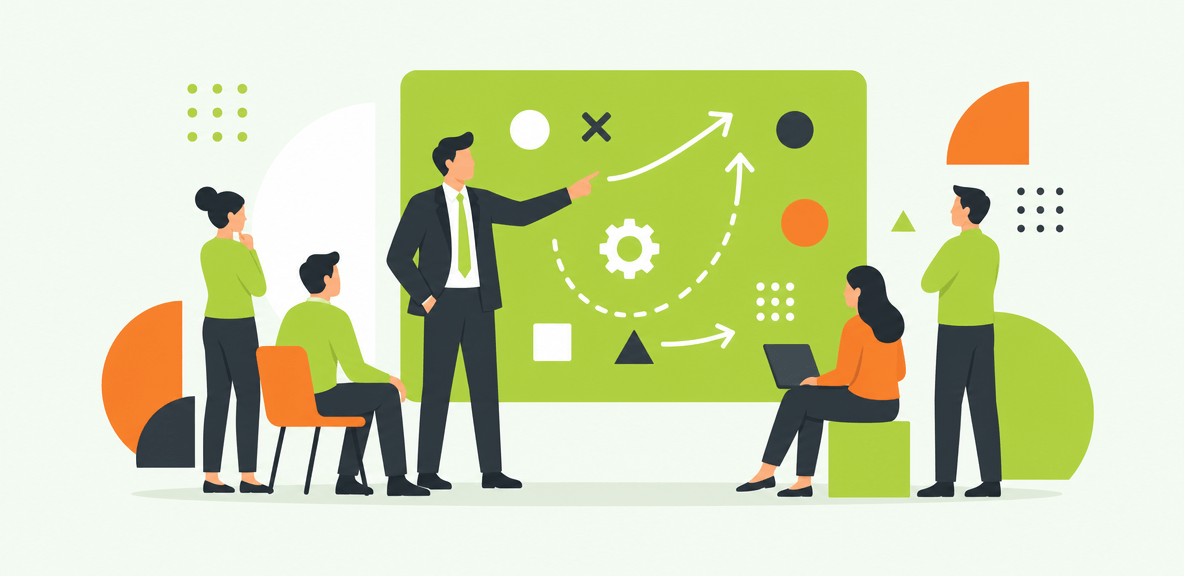
A practical ERP cloud migration plan needs to cover more than cutover. It should include current-state assessment, business case development, process rationalization, data readiness, integration strategy, testing, rollout, and post-go-live measurement.
Start by identifying high-risk workflows first. In most organizations, those include finance close activities, procurement approvals, HR transactions, supply chain exceptions, and any process with multiple handoffs or strict controls. These workflows create the fastest visible damage when adoption lags.
A phased approach is often the right one. It helps you balance clean-core ambitions with operational continuity. It also creates room to stabilize core workflows before expanding scope.
Most important, define success criteria that go beyond technical milestones. The program should measure adoption, completion rates, and time-to-productivity alongside data conversion accuracy and go-live timing.
Pre-migration assessment: what to inventory before you move
Before migration, inventory the full operating reality around the ERP, not just the application itself:
- upstream and downstream applications
- customizations and configuration dependencies
- manual workarounds outside the formal process
- user roles and access patterns
- integration points and data exchanges
- reporting and analytics dependencies
- audit, policy, and compliance requirements
This step usually reveals where legacy complexity is hiding. It also shows which workflows will need the most support once users move into the cloud environment.
Data and process readiness
Data readiness is not just field mapping. It includes data cleansing, master data governance, duplicate removal, ownership rules, and clear definitions for what moves forward.
Process readiness matters just as much. Cloud ERP programs are often the best moment to simplify workflows, remove unnecessary approvals, and standardize where possible. If you carry old complexity into the new environment, you simply create a more expensive version of the same problem.
Special considerations for Oracle EBS to ERP Cloud migration
Searches for oracle ebs to erp cloud migration or oracle ebs to fusion cloud migration usually reflect the same concern: this is not a direct like-for-like move.
Oracle E-Business Suite environments often contain years of custom processes, reports, and local workarounds. Moving to Oracle ERP Cloud or Oracle Fusion Cloud typically requires process redesign, changes in reporting logic, different approval structures, and significant user retraining. Teams should expect role changes, new navigation patterns, and new controls around how transactions are entered and approved.
That means the migration plan should treat user workflow redesign as a primary workstream, not a late-stage training task.
What your rollout and testing plan should prove
Testing should prove more than whether the system technically works.
It should show that users can complete task-level workflows, handle exceptions, navigate role-based steps, and get support on day one. That includes user acceptance testing, workflow validation for critical tasks, exception-path testing, and support readiness planning.
If testing only proves that the system passed scripts, you still do not know whether the business can run on it.
How to reduce ERP cloud migration friction with in-workflow support and measurable accountability
This is where many ERP programs need an execution and accountability layer.
The WalkMe action bar helps employees navigate new ERP workflows at the moment of need. Instead of asking users to remember training from weeks earlier, it delivers guidance inside the live workflow. That matters most in ERP environments, where a missed field, wrong approval path, or abandoned task can create immediate operational consequences.
WalkMe uses screen-level context to understand what the employee is seeing in real time and deliver relevant guidance without depending only on backend APIs. That matters because many enterprise workflows still live at the UI layer, especially in form-heavy and approval-driven ERP work.
Cross-application unification matters too. An ERP task rarely stays in one system. A user may move between Oracle ERP Cloud, email, ITSM tools, HR systems, procurement applications, or custom internal tools to complete one process. The action bar carries context across those boundaries.
This is also where the ERP ROI case gets stronger. In-app guidance, workflow execution, and adoption analytics help leaders show whether the new environment is actually being used as intended.
Where the action bar fits in an ERP migration program
The action bar fits as the execution and accountability layer across the ERP website and connected applications. It supports onboarding, process compliance, and task completion in the flow of work.
That means it can help reduce confusion during role transitions, guide users through unfamiliar forms, and make post-go-live support more targeted. It also gives IT, operations, and transformation leaders clearer visibility into where employees are getting stuck.
How WalkMe supports Oracle ERP Cloud and complex enterprise environments
WalkMe is particularly valuable in Oracle ERP Cloud and other complex environments where workflows are form-heavy, role-sensitive, and spread across multiple systems.
In these environments, users often need contextual support for approvals, data entry, navigation, and exception handling. They also need continuity when a process starts in one application and finishes in another. WalkMe provides that continuity through screen-level context, cross-application unification, and workflow execution at the UI level.
The result is not just a better user experience. It is a more measurable path to ERP performance.
What to measure after go-live
After go-live, focus on practical ERP migration KPIs such as:
- adoption by workflow
- task completion rates
- friction points by role or process step
- repeat errors and rework patterns
- support deflection and ticket trends
- time-to-productivity for new and transitioning users
These measures help answer the question leadership eventually asks: is the ERP investment working in practice?
Set realistic expectations: what ERP cloud migration will not fix on its own
Cloud migration does not automatically repair broken processes, poor data quality, weak governance, or unclear ownership. It also does not guarantee faster work if the new ERP is configured poorly or the process design remains unnecessarily complex.
No platform, including WalkMe, can compensate for a flawed operating model.
You should also expect phased benefits, not instant transformation. Most ERP programs require stabilization work after go-live. Some metrics improve quickly, such as support deflection or workflow guidance usage. Others, such as process cycle time and finance productivity, may take longer to show measurable gains.
The broader opportunity is still real. Organizations that pair cloud ERP modernization with adoption, accountability, and workflow execution are more likely to realize lasting value. They are also in a better position for the next phase of enterprise AI adoption, where governed autonomous execution depends on understanding the UI layer where work actually happens. The UI is the ultimate API.
Questions leaders should answer before declaring migration success
Before you declare success, ask:
- Can employees complete core tasks accurately without extra help?
- Are workflow errors and rework rates falling?
- Can you measure adoption by workflow and role?
- Are support tickets declining after stabilization?
- Is the ERP investment producing the business outcomes in the original case?
If those answers are still unclear, the migration is not fully finished. It is still being proven.
If proving software ROI is the next conversation you are having with your board, the WalkMe action bar is where that proof starts. Screen-level context, workflow execution, and adoption analytics give you a clearer view of whether your ERP cloud migration is producing performance, not just go-live milestones.
People Also Ask
-
What is ERP cloud migration?ERP cloud migration is the process of moving ERP data, processes, integrations, and user workflows from legacy or on-premises systems to a cloud-based ERP platform. It usually includes process redesign, role updates, retraining, and new governance requirements, not just infrastructure migration.
-
How long does ERP cloud migration usually take?Timelines vary based on scope, complexity, and the number of integrations, customizations, and business units involved. Smaller migrations may take months, while large enterprise ERP programs often span a year or more, especially when process redesign and phased rollouts are included.
-
What are the biggest risks in ERP cloud migration?The biggest risks include poor data quality, underestimating process change, weak testing, unclear ownership, low user adoption, and insufficient post-go-live support. Many organizations focus on cutover readiness but miss the operational risk that appears when users cannot complete core workflows in production.
-
How do you measure ROI after an ERP cloud migration?Measure ROI through workflow completion rates, time-to-productivity, support ticket reduction, process cycle times, error reduction, and utilization of new ERP capabilities. The strongest ROI case combines operational metrics with adoption evidence, so leaders can show not just that the system launched, but that employees are using it effectively.
-
What is the difference between Oracle EBS to ERP Cloud migration and Oracle EBS to Fusion Cloud migration?In most enterprise buying conversations, these terms are closely related. Oracle EBS to ERP Cloud migration refers broadly to moving from Oracle E-Business Suite to Oracles cloud ERP environment. Oracle EBS to Fusion Cloud migration typically points more specifically to Oracle Fusion Cloud applications. In either case, the practical implications are similar: process redesign, reporting changes, updated roles, and significant user retraining.
-
How can you improve user adoption during an ERP cloud migration?Improve adoption by identifying high-risk workflows early, simplifying processes before go-live, testing real user tasks, and providing in-workflow support after launch. The most effective programs treat adoption as a measurable workstream, with visibility into where users struggle and what guidance helps them complete work correctly.