FACT CHECKED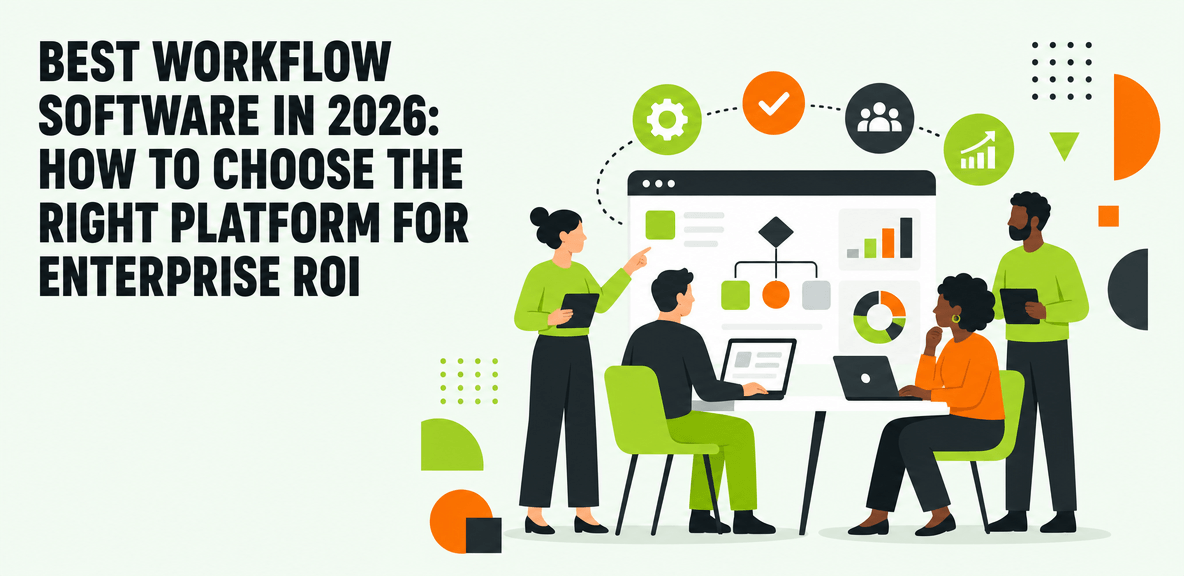
What makes the best workflow software worth the investment?

Enterprise teams rarely struggle because they lack software options. They struggle because work is spread across too many systems, too many handoffs, and too many unclear responsibilities. A request starts in email, moves into a ticketing system, pulls data from ERP, waits on an approval in collaboration tools, and finishes somewhere else entirely. That fragmentation slows execution, increases errors, and makes software ROI harder to prove.
That is why workflow software matters. At its simplest, workflow software helps organizations structure how work moves from trigger to completion. In practice, enterprise buyers usually need more than a simple task tracker. They need better process visibility, more consistent execution, stronger governance, and a way to reduce license waste across the tools they already own.
The problem is that many workflow initiatives still underperform after purchase. The software may be capable, but employees revert to manual workarounds. Approvals break when workflows cross applications. Legacy systems lack the API coverage automation tools expect. Leaders can see licenses deployed, but not whether workflows are actually being completed faster or more accurately.
So this is not a generic tools list. It is a buyer’s guide. The right workflow platform should be evaluated against three outcomes: productivity, governance, and measurable ROI.
Workflow management software vs. workflow automation software: what is the difference?
Workflow management software helps teams design, assign, track, and improve work. It focuses on who does what, in what order, by when, and with what status. Think task routing, approvals, deadlines, dashboards, and workload visibility.
Workflow automation software focuses on reducing manual actions inside those workflows. It automates triggers, notifications, data movement, document creation, approvals, and system actions where rules are predictable.
Most enterprise buyers need both.
A finance approval flow, for example, may require workflow management capabilities to define steps, ownership, and SLAs. It may also require workflow automation capabilities to route invoices, populate records, notify approvers, and update systems automatically. That becomes more important when workflows span CRM, ERP, ITSM, HCM, and collaboration platforms rather than living inside one application.
Why enterprises struggle to get value from workflow tools
The software itself is rarely the only problem. More often, value breaks down after rollout.
One-time training is a common failure point. Employees learn a process at launch, then forget the details when they need to complete it weeks later. Process ownership is another weak spot. If no team owns workflow design, maintenance, and measurement, exceptions accumulate and people fall back to email and spreadsheets.
Application silos create another layer of friction. A workflow may be well designed in one platform but still fail when the next step happens in SAP, Salesforce, ServiceNow, Workday, or a custom system. And without task-level adoption data, leaders cannot tell whether low ROI comes from poor process design, low user adoption, or technical gaps.
This is also why workflow software now overlaps with digital adoption and AI adoption. As organizations add copilots and AI-assisted workflows, the same question keeps resurfacing: can the platform guide users in the moment, execute across applications, and prove that work is actually getting done?
How to evaluate the best workflow software for your organization
The best workflow software for your organization depends on four variables: process complexity, number of users, governance requirements, and application sprawl. A team with one department and one system can buy differently from an enterprise managing thousands of users across finance, HR, operations, and IT.
Start with the workflow itself. Is it mostly human coordination, mostly system automation, or a mix of both? Then look at where the work happens. If the process crosses multiple systems of record, API-based automation alone may not be enough. Finally, define how success will be measured after rollout, not just what will be configured during implementation.
Capabilities that usually matter most include workflow design, approvals, automation logic, analytics, audit trails, permissions, and integration options. Enterprise buyers should also look harder at three areas that many vendor comparisons understate: cross-application unification, workflow execution at the UI level when APIs fall short, and adoption measurement after go-live.
Those criteria connect directly to outcomes. Better workflow design and approvals can reduce cycle times. Stronger analytics and guidance can reduce support volume. Audit trails and permissions improve compliance. Cross-application execution can improve software ROI by helping employees complete workflows correctly inside the systems you already pay for.
Core evaluation criteria every buyer should score
Every shortlist should score vendors across these areas:
- Usability for business teams
- Scalability and maintainability for IT
- Role-based controls and approvals
- Reporting depth and task-level visibility
- Deployment model and security fit
- Total cost of ownership over time
A feature checklist is not enough. Score each vendor against current-state needs and future-state needs. A department may only need forms and approvals today, but if the workflow later expands across ERP, CRM, and collaboration systems, the wrong platform can become a bottleneck quickly.
Questions to ask before shortlisting any workflow management software
Before you evaluate demos, ask a tighter set of buying questions:
- Which workflows are high volume, high friction, or high risk today?
- Where do those workflows break across systems or teams?
- What implementation lift will IT and business owners need to support?
- How much ongoing maintenance will the workflow require after system updates?
- Does the platform support AI-assisted work in a governed way?
- What change management or digital adoption support will users need?
- How will success be measured in 90, 180, and 365 days?
For organizations evaluating workflow software Microsoft options, add more specific questions:
- Is Microsoft Power Automate enough for the workflows you want to automate?
- Are the target systems primarily inside Microsoft 365, or do they extend into ERP, CRM, and legacy tools?
- How much of the workflow depends on UI actions that APIs do not expose?
- Can the team measure workflow completion and user adoption, not just flow execution?
How to compare ROI across workflow automation tools
A useful ROI model should include five value drivers:
- Time saved per task
- Error reduction and rework avoided
- Onboarding acceleration
- Support ticket reduction
- License utilization improvement
Calculate projected value by multiplying time saved by task volume and user count. Then pressure-test that model against realized outcomes. A workflow may look efficient on paper but still underperform if employees do not use it correctly or if the process breaks at cross-application boundaries.
That is the key distinction. Projected automation savings are not the same as realized adoption outcomes. Mature buyers track both.
Best workflow software categories and when each one fits best

Instead of treating the market as a flat top-10 list, it helps to group workflow tools by what they actually do well. Most enterprise teams are not choosing among identical products. They are choosing among categories with different strengths and limits.
Project and task workflow platforms
Asana, Monday.com, ClickUp, Trello, and Wrike are strong choices for coordination, visibility, and team execution. They work well for project-based workflows, campaign management, task assignment, and team planning.
Their limits appear when workflows require deep governance, complex approvals, or execution across systems of record. They are useful for managing work, but they are not always sufficient for regulated or system-heavy enterprise processes.
Workflow automation and integration platforms
Microsoft Power Automate, Zapier, Make, and similar tools are strong for API-based automation, trigger-driven actions, and data movement between applications. They are often the first place teams look when they search for the best workflow automation tools.
These platforms work best when systems are modern, connectors are available, and process logic is clear. Their limitations show up when workflows depend on legacy applications, inconsistent interfaces, or human behavior inside the UI. If the process requires a user to navigate screens, interpret context, or complete actions in systems with limited APIs, traditional automation can stall.
Business process and low-code workflow platforms
Nintex, Kissflow, Pipefy, Smartsheet, and Airtable fit structured approvals, forms, and process modeling. They often work well for departmental workflows that need consistency without a large custom development effort.
They may be a good fit for HR requests, procurement intake, or operational approvals. But enterprises should test whether these tools can scale from departmental standardization to broader cross-functional execution. The answer depends on governance needs, system complexity, and integration depth.
Enterprise workflow execution layers for cross-application work
In large enterprises, workflows rarely stay inside one planning tool. They cross SAP, Salesforce, ServiceNow, Workday, Microsoft 365, and custom systems. That is where an execution and accountability layer becomes relevant.
In these environments, the best workflow software may not be a single workflow builder. It may be a layer that unifies context, guidance, workflow execution, and measurement across applications. That becomes especially important when APIs are incomplete, employee behavior inside software determines outcomes, and leaders need proof that workflows are being completed correctly.
How leading enterprises choose workflow software by use case
The best workflow software depends on the workflow being improved, the systems involved, and the level of control required. Categories help narrow the market. Use cases help make the final decision.
Best workflow software for IT and service operations
IT teams often need ticket routing, change approvals, access requests, incident handling, and fulfillment across multiple systems. Native ITSM workflows may be enough when most work stays inside ServiceNow or a similar platform.
The need changes when fulfillment extends into identity systems, collaboration tools, ERP, or custom applications. At that point, workflow automation software or a broader execution layer may be necessary to bridge systems and reduce manual follow-up.
Best workflow software for HR and employee experience
HR workflows include onboarding, benefits, policy acknowledgment, manager approvals, and employee self-service. These processes often span HCM, payroll, email, and collaboration systems.
The challenge is not only routing the process. It is making sure employees and managers complete each step correctly. That is where workflow software benefits from digital adoption support, especially when processes are infrequent, high stakes, or spread across multiple applications.
Best workflow software for finance, procurement, and compliance-heavy teams
Finance and procurement teams need invoice routing, purchase approvals, vendor onboarding, audit readiness, and policy enforcement. These are high-control processes. Traceability matters. Role-based approvals matter. Deterministic execution matters.
That usually favors platforms with strong audit trails, approvals, and reporting. It also raises the importance of cross-application workflow execution when approvals start in one system and completion happens in another.
Best workflow software for Microsoft-centric environments
Microsoft Power Automate and the wider Microsoft stack are strong options for organizations centered on Microsoft 365, Teams, SharePoint, and Dynamics. They offer broad connector support and a familiar environment for many IT teams.
The tradeoff appears when workflows extend beyond Microsoft into ERP, CRM, custom apps, and legacy systems. In those cases, buyers should test how much of the workflow can truly be automated through connectors alone and where human guidance or UI-level execution is still required.
Best workflow software for enterprise AI-assisted workflows
AI is changing workflow expectations. Buyers now expect software not only to route work, but also to recommend actions, generate content, and help complete tasks faster.
But AI capability alone is not enough. According to a 2024 Gartner survey of more than 3,000 managers, only 8% of employees use AI in ways that meaningfully improve their work, while Gartner research finds 95% of CIOs expect significant AI value. That gap points to a workflow problem as much as a model problem. If the system cannot see context, cross application boundaries, or prove task completion, AI performance remains hard to realize and harder to measure.
What the best workflow software cannot fix on its own
Workflow software can improve execution. It cannot repair a broken process by itself.
If governance is weak, ownership is unclear, or the underlying workflow is poorly designed, automation may simply accelerate the wrong behavior. The same is true for change management. Training at launch helps, but it does not replace in-workflow guidance, ongoing support, or measurement after go-live.
Common reasons workflow software rollouts fail
Common failure patterns include:
- Automating bad processes
- Relying only on training
- Underestimating integration gaps
- Lacking process ownership
- Ignoring adoption after rollout
Workflow friction often appears after go-live, not before. That is why adoption analytics and in-workflow support matter in enterprise environments.
When to use native application workflows instead of another platform
Built-in workflows inside ServiceNow, Salesforce, Microsoft, or other enterprise platforms may be sufficient when the process is contained, well governed, and mostly completed in that application.
Another layer creates value when workflows regularly cross systems, when UI actions matter more than backend automation, or when leaders need better visibility into real completion and adoption. If those conditions are absent, adding another platform may create unnecessary complexity.
A realistic rollout plan for enterprise workflow automation software
A practical rollout starts with high-friction, high-volume workflows. Define the baseline first. Then pilot a limited set of workflows, measure outcomes over a defined period, and expand based on evidence.
Include governance, stakeholder alignment, and user support from the start. A workflow rollout is not only a technical deployment. It is a behavior change program.
How to build your shortlist and choose the best workflow software with confidence
A strong shortlist process starts by separating workflow management software, workflow automation software, and execution-layer options. From there, compare them against the workflows that matter most to your business, the systems involved, and the outcomes you need to prove.
As workflow complexity increases, many organizations outgrow standalone tools. They may still use project platforms for coordination or automation tools for connectors, but they also need a way to unify execution across applications and measure whether workflows are actually being completed.
A simple shortlist matrix for enterprise buyers
Rank each option side by side on:
- Process fit
- Implementation effort
- Governance and auditability
- Analytics depth
- Cross-application reach
- Total cost of ownership
This makes it easier to compare workflow management software, workflow automation software, and execution-layer approaches without forcing them into the same feature checklist.
Where WalkMe fits in the workflow software landscape
WalkMe fits as an execution and accountability layer for enterprise workflows that cross applications and depend on real employee behavior inside software.
The action bar gives employees one persistent way to access help and next-best actions across applications. WalkMe uses screen-level context to understand what the employee is seeing in real time, supports workflow execution at the UI level when APIs are incomplete, and provides adoption analytics that show where workflows succeed, stall, or break. For enterprises trying to improve software ROI and AI performance across complex environments, that combination addresses a gap many workflow tools do not cover on their own.
The next step is not to ask which vendor has the longest feature list. It is to map three to five critical workflows, identify where they cross systems or fail in practice, and score each platform category against those realities. That comparison will tell you whether you need a workflow manager, an automation tool, an execution layer, or a combination of all three.
People Also Ask
-
What is the best workflow software for enterprise teams?The best workflow software depends on the type of workflow, the systems involved, and your governance requirements. Project platforms work well for team coordination. Automation platforms work well for API-driven tasks. Cross-application enterprise workflows may require an execution and accountability layer in addition to those tools.
-
What is the difference between workflow management software and workflow automation software?Workflow management software helps teams design, assign, track, and improve work. Workflow automation software reduces manual actions within those workflows through rules, triggers, and system actions. Many enterprise workflows need both.
-
Does Microsoft have workflow software?Yes. Microsoft offers workflow capabilities through products such as Power Automate and the wider Microsoft 365 ecosystem. These are strong options for Microsoft-centric environments, but buyers should test how well they handle workflows that extend into non-Microsoft and legacy systems.
-
How do I choose the best workflow automation tools for my business?Start with your highest-friction workflows. Evaluate tools based on process fit, systems involved, governance needs, analytics, implementation effort, and measurable ROI. Separate projected automation savings from actual adoption and completion outcomes.
-
What features should I look for in workflow management software?Look for workflow design, approvals, permissions, reporting, audit trails, scalability, deployment fit, and maintainability. If workflows span multiple enterprise applications, also assess cross-application reach, in-workflow guidance, and execution options where APIs fall short.
-
Can workflow software work across legacy and modern enterprise applications?Yes, but not all workflow software works equally well across both. API-based tools are strongest in modern connected environments. In legacy-heavy environments, buyers may need platforms that can support workflow execution and guidance at the UI level when direct integrations are limited.